Are you ready to transform your audio experience? Understanding HDMI connections can elevate your sound system to new heights, making every movie night an immersive adventure.
What You Will Learn
- The essentials of HDMI ARC and eARC and how they simplify your audio setup.
- Key benefits of using HDMI eARC for superior audio quality, including support for Dolby Atmos.
- How to identify various HDMI port types on your TV to maximize soundbar performance.
- Step-by-step instructions for connecting your soundbar to the TV using HDMI.
- Tips for configuring your TV settings to ensure optimal audio output through your soundbar.
HDMI Connections: ARC vs. eARC Comparison
This visual outlines the key differences, benefits, and compatibility considerations between HDMI ARC and eARC technologies for connecting soundbars to TVs.
HDMI ARC (Audio Return Channel)
Allows audio to be sent from your TV to your soundbar through the same HDMI cable used for video. Simplifies setup and reduces cable clutter.
- Standard audio formats.
- Basic audio transmission.
- TV remote control for soundbar.
HDMI eARC (Enhanced Audio Return Channel)
An advanced version of ARC, supporting higher-quality audio formats like Dolby Atmos and DTS:X for a richer, more immersive sound experience.
- High-bitrate audio (Dolby Atmos).
- Uncompressed audio transmission.
- Better audio/video synchronization.
Connection Process Flow
1
Gather Equipment (TV, Soundbar, HDMI Cable)
2
Locate ARC/eARC Ports on Both Devices
3
Plug HDMI Cable into Designated Ports
4
Adjust TV Audio Settings to External Speaker
5
Enable HDMI-CEC for Unified Control
Understanding HDMI Connections for Soundbars and TVs
When you’re diving into the world of soundbars and TVs, understanding HDMI connections is crucial! HDMI, which stands for High-Definition Multimedia Interface, allows for seamless audio and video transmission between devices. In this section, we’ll explore key concepts like HDMI ARC and eARC, and how they can enhance your viewing experience.
It’s important to grasp the differences between these connection types, especially if you’re aiming for that immersive sound experience. So, let’s break it down!
What is HDMI ARC and eARC?
HDMI ARC, or Audio Return Channel, is a feature that allows audio to be sent back from your TV to your soundbar through the same HDMI cable used for video. This means fewer cables and a simplified setup! For more information on setting up your soundbar, you can refer to LG’s helpful guide on soundbar setup. Now, if you’re looking for even better audio quality, you might want to consider HDMI eARC (Enhanced Audio Return Channel).

eARC supports higher-quality audio formats like Dolby Atmos and DTS:X, giving you a richer sound experience. This feature really shines when you’re streaming content that supports these advanced audio formats. For a deeper dive into connecting Dolby Atmos soundbars, Dolby provides excellent resources, such as this article on connecting your Dolby Atmos enabled soundbar to your TV. So, if you’re a movie lover, eARC is definitely something to look for!
Defining Audio Return Channel and its Importance
The Audio Return Channel simplifies your audio setup by allowing your TV to send sound directly to your soundbar without needing a separate audio cable. This can significantly declutter your entertainment center and provide a more streamlined experience. For anyone frustrated by a tangle of wires, this is a game changer!
Moreover, using ARC means you can control the soundbar with your TV remote, making it easier to switch between channels or adjust the volume without hassle. It’s all about convenience!
Benefits of Using HDMI eARC for Enhanced Audio Experience
- Supports high-bitrate audio formats, including Dolby Atmos
- Allows for uncompressed audio transmission
- Provides better synchronization between audio and video
- Ensures future-proofing as more devices adopt eARC technology
By opting for eARC, you open the door to experiencing sound the way it was meant to be heard. It’s not just about volume; it’s about clarity and immersion, making every movie night or gaming session truly extraordinary!
Exploring HDMI Ports on Your TV
Now that we’ve covered the basics of HDMI ARC and eARC, let’s take a closer look at the HDMI ports on your TV. Each port has its unique capabilities, and knowing which is which can help you maximize your setup!
It’s crucial to use the correct port to ensure you’re getting the best audio quality out of your soundbar. So, let’s identify these ports and their functions.
Identifying Different HDMI Port Types: ARC, eARC, and Standard
- Standard HDMI Port: The basic HDMI connection for video and standard audio.
- ARC Port: Allows for audio to be sent back to the soundbar.
- eARC Port: Supports high-quality audio formats and provides an even better experience.
Knowing these differences can save you time and frustration when setting up your devices. If you’re unsure which port is which, most TVs will have labels next to the ports. Always check your TV manual for specific details!
Understanding Compatibility with Various TV Brands
Not all TVs are created equal, and compatibility can vary significantly between brands. It’s essential to verify if your TV supports either ARC or eARC functions. Popular brands like Samsung, LG, and Sony generally do, but always double-check! For example, Sony provides support articles on connecting audio systems, which can be useful.
Additionally, some older models may not support these features, so if you’re working with an older television, be prepared to explore alternative connection options. This is just one of those little details that can make a big difference!
Pro Tip
To maximize your sound experience, always ensure your HDMI cables are high-speed and support the latest audio formats. This small investment can lead to significant improvements in sound clarity and overall audio performance, especially when using eARC for advanced audio formats!
Step-by-Step Guide to Connecting a Soundbar to Your TV via HDMI
Connecting your soundbar to your TV via HDMI can seem daunting, but I’m here to simplify the process for you! I’ve outlined the essential steps along with some tips to ensure you get the best sound experience possible.
First, let’s gather our equipment. You don’t want to start a project only to realize you’re missing something crucial! Here’s what you’ll need:
Gathering Your Equipment: What You’ll Need
- HDMI cable (preferably high-speed)
- Soundbar with HDMI ARC or eARC support
- TV with HDMI ARC or eARC port
- User manuals for both your TV and soundbar (just in case!)
It’s crucial to select a good quality HDMI cable to ensure optimal performance. A high-speed HDMI cable will support enhanced audio and video quality, making it worth the investment!
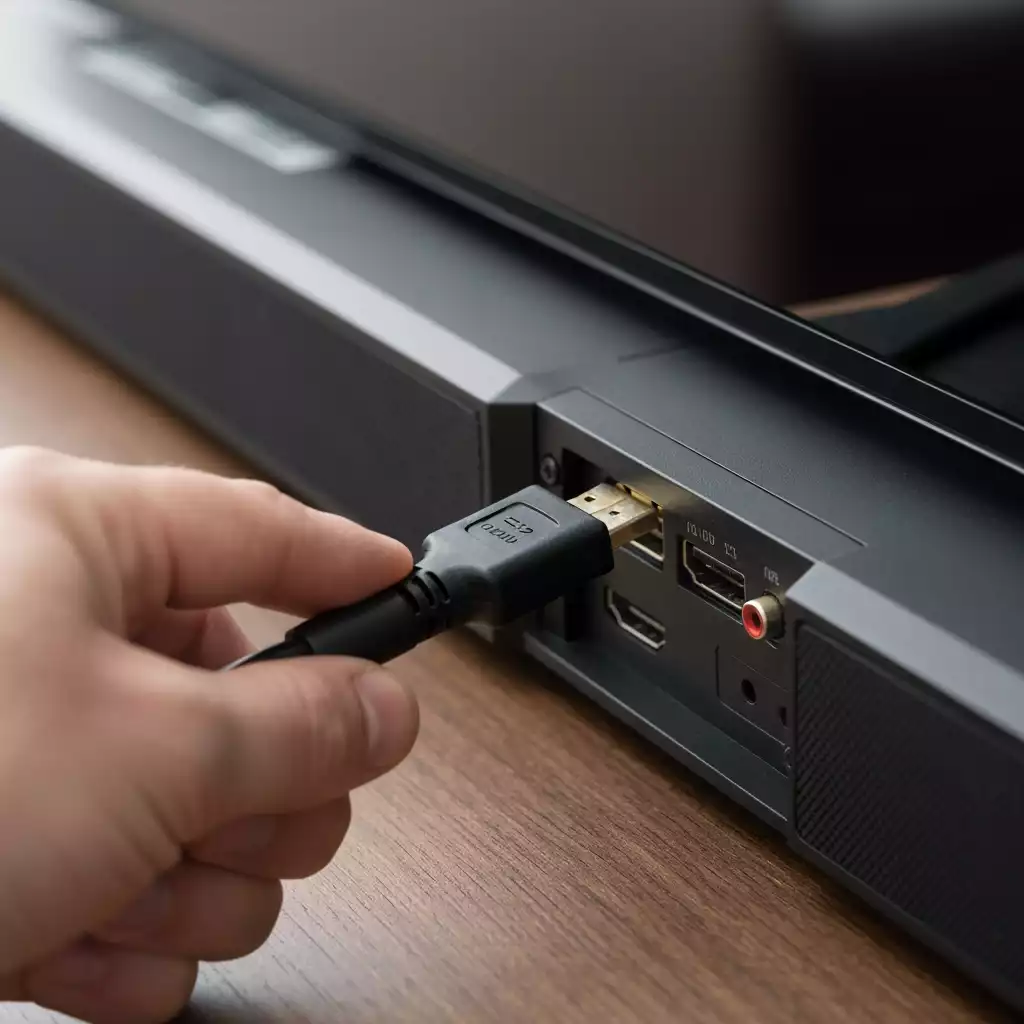
Required HDMI Cables and Compatibility Considerations
When choosing an HDMI cable, consider the specifications of your devices. HDMI eARC cables can deliver better sound quality and support the latest audio formats. If your soundbar and TV both support eARC, go for it! Otherwise, an HDMI ARC will still work well for your setup.
Always double-check that your devices are compatible with the HDMI specifications; sometimes, it’s just a matter of ensuring both devices are updated to the latest firmware.
Choosing Between ARC and eARC: Which is Right for You?
If you want the best audio experience, I highly recommend using eARC. Not only does it support higher bandwidth, but it also allows for uncompressed audio formats like Dolby Atmos. If your soundbar only has HDMI ARC, that’s okay too! It still provides excellent surround sound capabilities.
Ultimately, your choice will depend on your specific needs and the capabilities of your devices. Think about what you value most in your audio experience!
Connecting the Soundbar to Your TV Using HDMI
Now that we have everything we need, let’s get down to the nitty-gritty of connecting your devices. This is where the magic happens!
Locating the HDMI ARC/eARC Port on Your TV and Soundbar
First, you’ll need to locate the HDMI ARC or eARC port on both your TV and soundbar. This port is usually labeled as ARC or eARC on your TV, and you can typically find it near the other HDMI ports. The same goes for your soundbar!
Once you locate the ports, make sure to note their positions. It’ll make the next steps much smoother!
Plugging in the HDMI Cable: A Simple Walkthrough
To connect your soundbar to your TV, simply plug one end of the HDMI cable into the HDMI ARC/eARC port on your TV, and the other end into the corresponding port on your soundbar. It’s as simple as that!
After that, turn on both devices. You may need to select the HDMI ARC input on your TV for the soundbar to be recognized. If you’ve followed these steps, you should be ready to enjoy your enhanced audio experience!
Setting Up the TV for Optimal Audio Output
Now that everything is connected, let’s make sure your TV is set up properly to work with your soundbar. This step is crucial for ensuring you get the best sound quality!
Adjusting TV Audio Settings for Soundbar Compatibility
Go to your TV’s audio settings and look for options such as External Speaker or Soundbar. You may also need to set the audio output to HDMI ARC. This will direct all audio through the soundbar.
Each TV brand may have slightly different menu options, so consult your user manual if you’re unsure. But don’t worry! I’m confident you’ll find the right settings!
Enabling HDMI-CEC for Unified Remote Control Functionality
Another essential step is enabling HDMI-CEC (Consumer Electronics Control). This feature allows you to control both your TV and soundbar with a single remote. You can usually find this setting in the system or HDMI settings of your TV.
Once enabled, you’ll notice that turning on your TV also turns on your soundbar, making everything a little more seamless! This small adjustment can enhance your overall viewing experience.
Exploring Audio Settings for Enhanced Sound Quality
Let’s dive deeper into the audio settings. After connecting everything, you might want to fine-tune the sound to match your preferences.
Configuring Sound Modes for Different Viewing Experiences
Many soundbars come with various sound modes such as Movie, Music, or Night Mode. Experiment with these settings to find the best one for your viewing experience!
For instance, if you’re watching an action movie, you might prefer the “Movie” mode for enhanced effects. For general TV viewing, “Standard” might be more suitable!
Understanding Digital Audio Formats: Dolby Digital and DTS
Lastly, familiarize yourself with the digital audio formats your soundbar supports. Formats like Dolby Digital and DTS can significantly enhance your sound experience.
Knowing which formats are supported will help you make the most out of your soundbar, especially when streaming content that uses these advanced audio technologies. Enjoy the rich sounds!
Frequently Asked Questions (FAQs)
- What is the main difference between HDMI ARC and eARC?
- HDMI ARC (Audio Return Channel) allows basic audio transmission from your TV to your soundbar. HDMI eARC (Enhanced Audio Return Channel) is an advanced version that supports higher-quality audio formats like Dolby Atmos and DTS:X, offering uncompressed audio and better synchronization.
- Do I need a special HDMI cable for eARC?
- While a standard high-speed HDMI cable can often work with eARC for shorter distances, a certified “Ultra High Speed HDMI” cable is recommended for optimal performance, especially for higher bandwidth audio formats and longer cable runs, to ensure reliable uncompressed audio transmission.
- How do I know if my TV supports ARC or eARC?
- Look for labels next to the HDMI ports on your TV; they will typically be marked “HDMI ARC” or “HDMI eARC.” You can also consult your TV’s user manual or the manufacturer’s website for specific details on port capabilities.
- Can I use my TV remote to control my soundbar connected via HDMI ARC/eARC?
- Yes, if you enable HDMI-CEC (Consumer Electronics Control) on your TV. This feature allows compatible devices connected via HDMI to communicate and be controlled with a single remote, simplifying your setup.
- What should I do if I’m not getting sound from my soundbar after connecting it?
- First, ensure the HDMI cable is connected to the correct ARC/eARC port on both your TV and soundbar. Then, go into your TV’s audio settings and select the HDMI ARC/eARC input as the audio output. Also, check that HDMI-CEC is enabled on your TV.
- Why is eARC better for Dolby Atmos?
- eARC offers significantly greater bandwidth than ARC, which is necessary to transmit uncompressed, high-bitrate audio formats like Dolby Atmos. This ensures you experience the full, immersive, object-based sound that Dolby Atmos is designed to deliver without any loss in quality.
Recap of Key Points
Here is a quick recap of the important points discussed in the article:
- HDMI ARC simplifies audio setup by allowing sound to be sent from the TV to the soundbar through the same cable used for video.
- HDMI eARC supports higher-quality audio formats like Dolby Atmos, providing a richer sound experience.
- Identifying the correct HDMI port types (Standard, ARC, eARC) is essential for optimal audio quality.
- Compatibility with TV brands can vary; ensure your devices support ARC or eARC features.
- Choosing between ARC and eARC depends on your audio needs; eARC is recommended for the best experience.
- Configuring TV audio settings and enabling HDMI-CEC enhances usability and sound quality.
- Experimenting with sound modes can tailor the audio experience to different content types.



Pingback: Easy Steps to Connect Your Samsung Soundbar to TV
Pingback: Exploring Sonos Arc Ultra Features: Discover,Setup Tips,and More
Pingback: Discover Top Soundbars: Find the Perfect Fit for Your Home Audio
Pingback: Easy Steps to Connect Your Samsung Soundbar to TV Wirelessly