Connecting your Samsung soundbar can significantly enhance your audio experience, but navigating the various options can be daunting. Let’s clarify the essential connection methods and how they can transform your media enjoyment.
What You Will Learn
- Different connection methods available for Samsung soundbars, including HDMI ARC, Optical, Bluetooth, AUX, and Wi-Fi.
- Advantages of using HDMI ARC for high-quality audio and single remote control convenience.
- How to troubleshoot common connection problems, such as no sound or intermittent audio.
- Considerations for choosing the best connection method based on your specific audio needs and equipment compatibility.
Samsung Soundbar Connection Methods Comparison
This comparison outlines the key features, advantages, and disadvantages of different Samsung soundbar connection types, helping you choose the best setup for your audio needs.
HDMI (ARC/eARC)
Pros:
- Highest audio quality (Dolby Atmos, DTS:X)
- Single-cable for audio/video
- Enhanced lip-sync correction
Cons:
- Requires compatible ports
- Can be more complex setup
Optical Cable
Pros:
- Simple installation
- Good digital audio quality
Cons:
- No support for advanced audio formats
- Limited to line-of-sight
Bluetooth
Pros:
- Wireless convenience
- Easy pairing with devices
Cons:
- Potential for audio lag
- Lower audio quality than wired
AUX Cable
Pros:
- Widely compatible
- Very straightforward connection
Cons:
- Lower audio quality
- Wired connection inconvenience
Understanding How to Connect Your Samsung Soundbar
When it comes to enhancing your audio experience, connecting your Samsung soundbar correctly is crucial. There are several ways to connect it, and each method has its own benefits. In this section, we’ll explore the different options available to you, ensuring you can enjoy rich, immersive sound from the comfort of your home!
For a comprehensive guide on setting up your Samsung soundbar, you can refer to the official Samsung UK support page.
Whether you’re a tech novice or a seasoned audio enthusiast, you’ll find that setting up your soundbar can be straightforward.
Understanding how to connect your soundbar properly can significantly elevate your TV watching, music listening, and gaming experiences. For more detailed instructions on connecting a soundbar to a Samsung TV, check out this Samsung support article.

What You Need to Know About Samsung Soundbar Connections
Samsung soundbars offer various connection methods, each designed to cater to different setups and preferences. Here’s a quick overview of the most common connection methods:
- HDMI ARC – Ideal for transferring high-quality audio and video through a single cable.
- Optical Cable – A reliable choice for digital sound transmission without interference.
- Bluetooth – Perfect for wireless connections, allowing you to connect your devices without cords.
- AUX Cable – A straightforward wired solution for audio devices.
- Wi-Fi – Use the SmartThings app to manage your soundbar wirelessly with ease.
Knowing these methods helps you choose the right one based on your equipment and personal preferences. As you move forward, keep these options in mind to create the best audio environment!
Different Connection Methods Explained
In this section, we’ll outline the major connection methods you’ll learn about as we progress through the guide. Each method has unique features that can enhance your listening experience:
- HDMI ARC: This method allows for a simple, single-cable connection that provides high-quality audio while allowing control of both the TV and soundbar with one remote.
- Optical Cable: A solid choice for users who prefer a wired connection, utilizing fiber optics for superior sound clarity.
- Bluetooth: This wireless option is great for connecting your soundbar to a range of devices, including smartphones and tablets, without the hassle of cables.
- AUX Cable: For those who want a basic, straightforward connection to older devices, the AUX cable is an easy solution.
- Wi-Fi: Utilizing the SmartThings app provides flexibility and control over your soundbar settings from your smartphone or tablet.
By understanding these connection methods, you can confidently select the best one for your audio setup. Let’s dive deeper into each method and discover how to get your Samsung soundbar up and running!
Connecting Your Samsung Soundbar via HDMI
Step-by-Step Guide for HDMI ARC Connection
To connect your Samsung soundbar via HDMI ARC, start by identifying the HDMI ARC port on both your TV and soundbar. This port allows audio to travel both ways, enabling seamless integration. Here’s how to proceed:
- Verify that both your TV and soundbar support HDMI ARC functionality.
- Connect one end of the HDMI cable to the HDMI ARC port on your TV.
- Connect the other end to the HDMI ARC port on your soundbar.
- Turn on both devices and set your TV’s audio output to the soundbar.
This straightforward process will enhance your viewing experience significantly, allowing you to enjoy rich sound without extra clutter.
Understanding HDMI eARC and Its Benefits
HDMI eARC offers improvements over standard HDMI ARC, especially in terms of audio quality and compatibility. With eARC, you can experience:
- Higher Audio Quality – Supports advanced audio formats like Dolby Atmos and DTS:X.
- Simplified Connectivity – Easier setup with automatic device recognition.
- Enhanced Lip-Sync Correction – Reduces audio lag for a more synchronized viewing experience.
For those who value superior sound, upgrading to a soundbar that supports eARC can be a game-changer!
Using HDMI Input for Enhanced Sound Quality
Connecting your Samsung soundbar using HDMI input can result in a notable improvement in sound quality. This method allows for a direct connection from your media source to the soundbar, bypassing any potential audio degradation. Here’s why you might want to consider this method:
- Better Audio Clarity – Direct connections diminish interference, producing cleaner sound.
- Convenience – Fewer cables and simplified setup.
- Compatibility with Newer Devices – Many modern devices support HDMI audio output, making this method widely applicable.
Choosing HDMI input can enhance your overall audio experience, making your favorite movies and music come alive!
Pro Tip
For the best audio performance, consider using HDMI ARC when connecting your Samsung soundbar. This method not only delivers superior sound quality but also allows you to control both the TV and soundbar with a single remote, simplifying your setup!
Troubleshooting Common Connection Problems
When it comes to connecting your Samsung soundbar, encountering connection issues can be frustrating. But don’t worry, I’m here to help! In this section, we’ll summarize some common failures and offer effective fixes that you can try on your own. For troubleshooting tips and solutions, you might find this Asurion guide on connecting a soundbar to a Samsung TV helpful.
Identifying and Fixing Connection Failures
There are a few typical connection failures that users may experience. These issues can stem from various sources, including cable problems and compatibility issues.
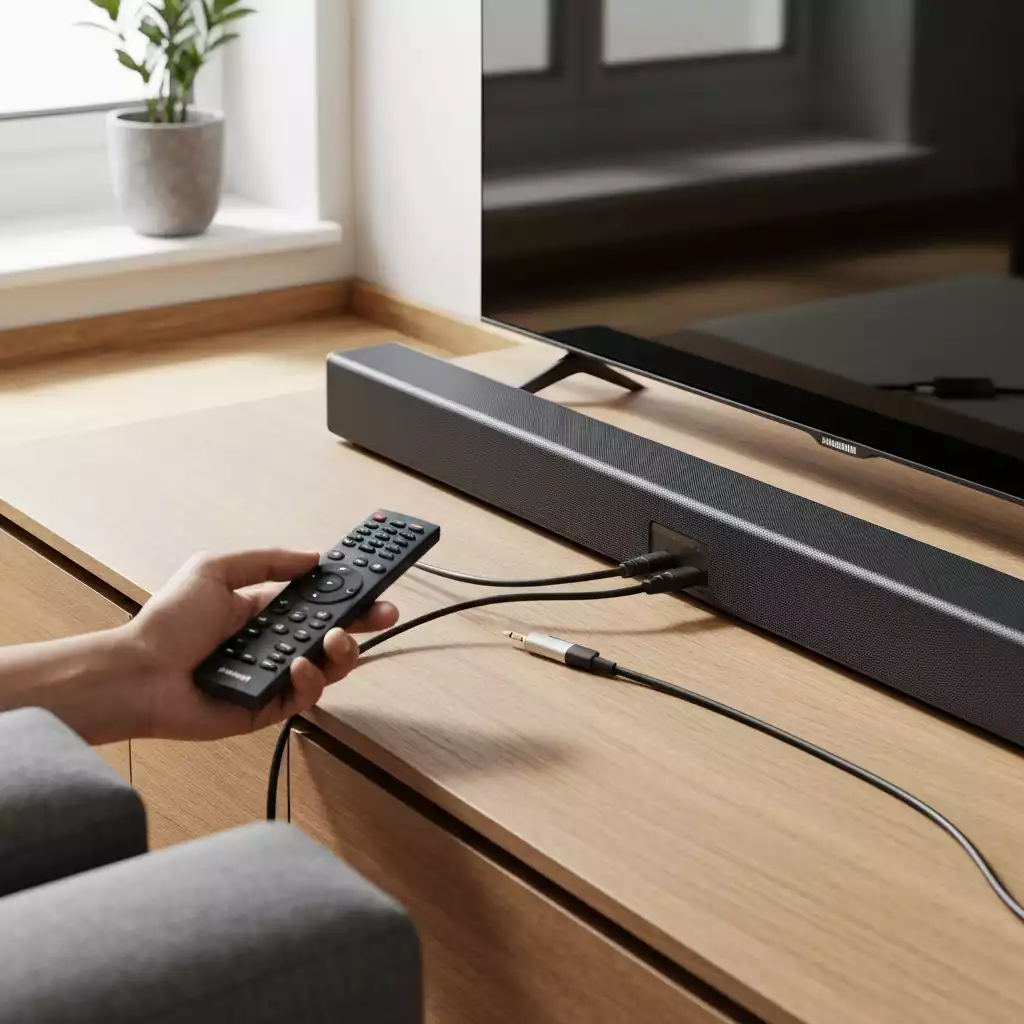
- No Sound: Ensure all cables are securely connected and that the soundbar is powered on.
- Intermittent Audio: Check the quality of your cables and consider replacing them if they seem damaged.
- Pairing Problems: Make sure your Bluetooth device is within range and not connected to another device.
If you’re still experiencing issues after these checks, you may want to reset your soundbar settings. This can often resolve minor software glitches that lead to connection failures.
When To Seek Professional Help
While many connection problems can be resolved at home, there are times when it’s best to contact a professional. If you’ve tried the typical fixes but still face persistent issues, seeking support may be necessary.
- Your soundbar shows signs of hardware damage.
- You’re unable to connect to any devices, even after troubleshooting.
- Audio issues persist across multiple connection methods.
Don’t hesitate to reach out to Samsung support or a local tech expert if you find yourself in one of these scenarios. Getting the right help can save you time and ensure your soundbar performs at its best!
Making an Informed Decision on Connection Methods
Comparing Connection Types: Which is Best for You?
Choosing the right connection method for your Samsung soundbar can make a significant difference in your audio experience. Below is a comparison table that summarizes the pros and cons of each connection type:
| Connection Type |
Pros |
Cons |
| HDMI |
- High-quality audio
- Supports advanced formats
|
- Requires compatible ports
- Can be more complex to set up
|
| Optical Cable |
- Simple installation
- Good audio quality
|
- No support for advanced audio formats
- Limited to line-of-sight
|
| Bluetooth |
- Wireless convenience
- Easy pairing with devices
|
- Potential for audio lag
- Audio quality may be lower
|
| AUX |
- Widely compatible
- Very straightforward
|
- Lower audio quality compared to HDMI
- Wired connection may be inconvenient
|
Final Thoughts on Your Samsung Soundbar Setup
Ultimately, the best connection method for your Samsung soundbar depends on your specific needs and setup. Each option offers unique benefits, so consider what works best for your space and devices.
- If you prioritize audio quality, HDMI is often the way to go.
- For simplicity and ease, optical or AUX connections might be your best bet.
- Bluetooth is perfect for those who love wireless convenience!
Whichever method you choose, remember that each has its strengths. Your soundbar can deliver an exceptional audio experience when set up correctly!
Understanding TV Compatibility with Your Soundbar
Before you finalize your connection setup, it’s crucial to check if your TV is compatible with your Samsung soundbar. Compatibility affects how well your soundbar will function and how easy it will be to connect.
- Check your TV’s audio output options.
- Ensure your soundbar supports the same audio formats as your TV.
- Refer to the user manuals for both devices for specific compatibility details.
If your TV is compatible, you’re set for an amazing audio journey! However, if you find compatibility issues, don’t hesitate to reach out to tech support for assistance.
Frequently Asked Questions (FAQs)
- Q: What is the best way to connect my Samsung soundbar for the highest audio quality?
- A: For the highest audio quality, especially for advanced formats like Dolby Atmos and DTS:X, connecting your Samsung soundbar via HDMI ARC (or eARC if supported) is recommended. This method also allows for control of both your TV and soundbar with a single remote.
- Q: Can I connect my Samsung soundbar wirelessly?
- A: Yes, you can connect your Samsung soundbar wirelessly using Bluetooth for easy pairing with devices like smartphones and tablets. Some Samsung soundbars also support Wi-Fi connectivity, which can be managed via the SmartThings app for more control and flexibility.
- Q: What should I do if my Samsung soundbar has no sound after connecting?
- A: First, ensure all cables are securely connected and that the soundbar is powered on. Check your TV’s audio output settings to confirm it’s directed to the soundbar. If the issue persists, try resetting your soundbar’s settings. If problems continue, consider checking the quality of your cables or seeking professional help.
- Q: What is the difference between HDMI ARC and eARC?
- A: HDMI ARC (Audio Return Channel) allows audio to be sent from your TV to your soundbar using a single HDMI cable. HDMI eARC (enhanced Audio Return Channel) is an upgraded version that offers significantly higher bandwidth, supporting uncompressed and advanced audio formats like Dolby Atmos and DTS:X, providing superior sound quality and enhanced lip-sync correction.
- Q: How do I know if my TV is compatible with my Samsung soundbar?
- A: To check compatibility, examine your TV’s audio output options for HDMI ARC/eARC ports or optical outputs. Also, confirm that your soundbar supports the same audio formats as your TV. Consulting the user manuals for both your TV and soundbar will provide specific compatibility details.
Recap of Key Points
Here is a quick recap of the important points discussed in the article:
- Samsung soundbars can be connected using multiple methods: HDMI ARC, Optical Cable, Bluetooth, AUX Cable, and Wi-Fi.
- Using HDMI ARC allows for high-quality audio and control of both TV and soundbar with one remote.
- Bluetooth offers wireless convenience, while AUX provides a straightforward wired solution.
- For superior audio quality, consider using HDMI input, which minimizes interference.
- Common connection issues can often be resolved by checking cable connections, resetting devices, or seeking professional help when necessary.
- Ensure your TV is compatible with your soundbar to maximize performance and ease of connection.