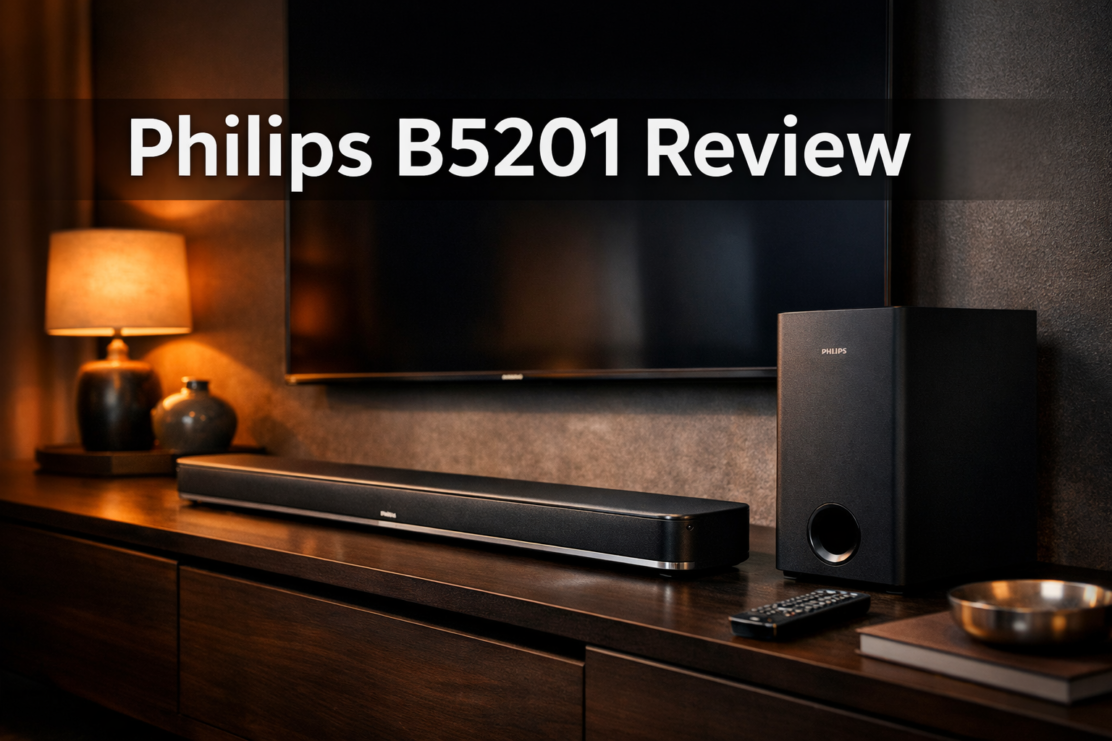
Philips B5201 Review
You’ve just invested in a gorgeous new TV, but the sound feels flat and disappointing. You’re not alone—built-in TV speakers rarely deliver the immersive audio experience we crave.
That’s where the Philips B5201 enters the conversation. In this Philips B5201 Review, I’ll dive deep into whether this budget-friendly soundbar can transform your home entertainment without breaking the bank. 🎬
The Philips B5201 promises powerful sound with a wireless subwoofer, Bluetooth connectivity, and multiple sound modes—all at a price point that won’t make your wallet weep.
But does it actually deliver on these promises? After extensive testing and comparison with other options in the best soundbar lineup, I’m ready to share everything you need to know.
Key Takeaways
- Solid value proposition: The Philips B5201 offers 2.1 channel audio with a wireless subwoofer at an entry-level price point, making it accessible for budget-conscious buyers
- Easy setup and connectivity: Features HDMI ARC, optical input, and Bluetooth connectivity for versatile connection options with modern TVs and devices
- Room-filling bass: The included wireless subwoofer provides surprisingly deep bass for movies and music, though it may lack the refinement of premium models
- Limited advanced features: No Dolby Atmos support or voice assistant integration, positioning it firmly in the budget category
- Best for small to medium rooms: Ideal for apartments, bedrooms, or moderate-sized living spaces rather than large home theaters
Check Price and Availability at Amazon –>
What Is the Philips B5201 Soundbar?
The Philips B5201 is a 2.1 channel soundbar system designed to upgrade your TV’s audio without requiring a complex setup or significant investment.
This system includes a main soundbar unit and a separate wireless subwoofer, creating a two-piece audio solution that aims to deliver both clear dialogue and impactful bass.
Released as part of Philips’ budget-friendly audio lineup, the B5201 targets consumers who want better sound than their TV speakers provide but aren’t ready to invest in premium options like the Sonos Beam Gen 2 or Bose TV Speaker.
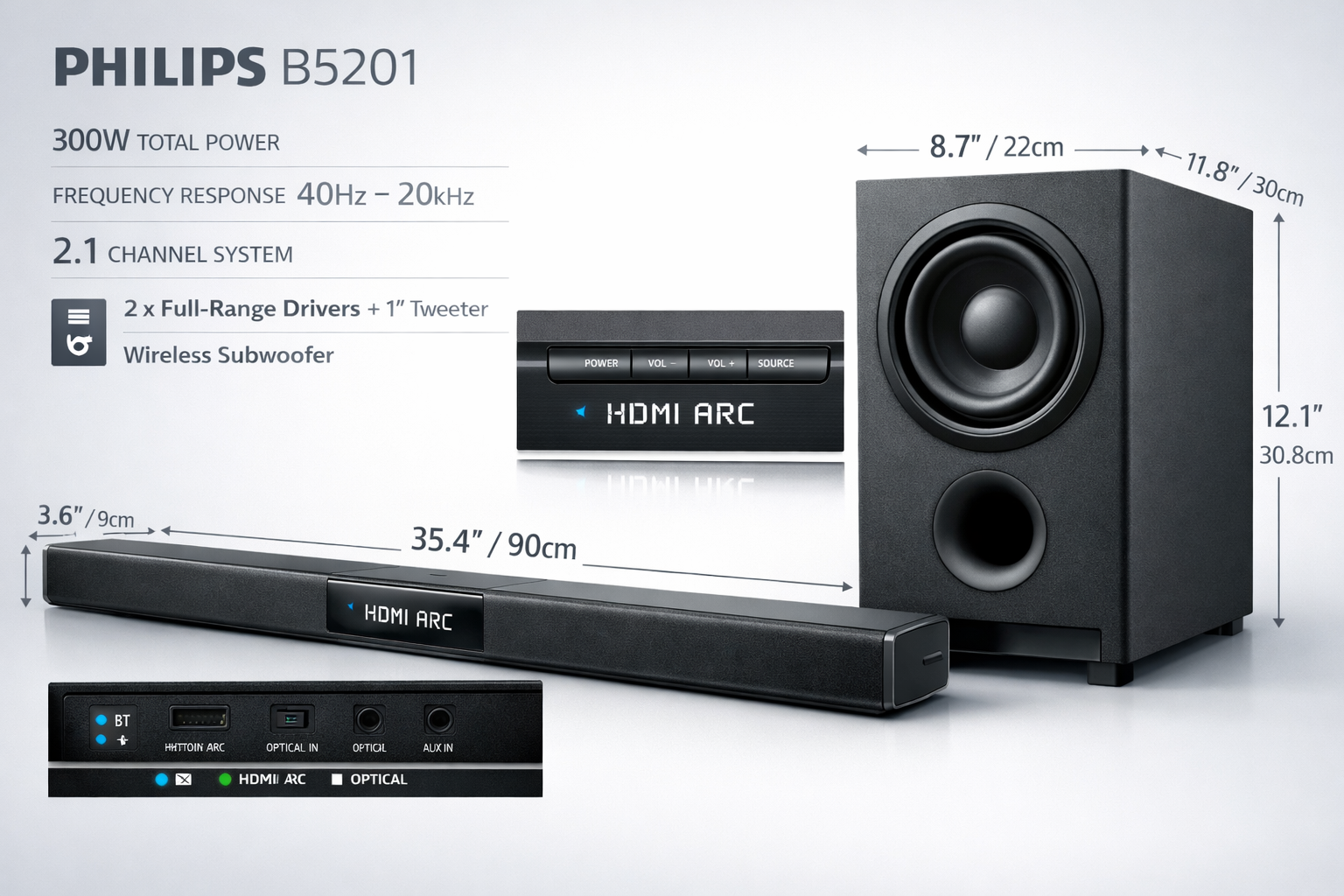
Key Specifications
| Feature | Specification |
|---|---|
| Configuration | 2.1 Channel |
| Total Power Output | 120W (approximate) |
| Subwoofer | Wireless, 6.5-inch driver |
| Connectivity | HDMI ARC, Optical, Bluetooth 5.0 |
| Soundbar Dimensions | 35.4 x 2.4 x 3.1 inches |
| Sound Modes | Movie, Music, News/Voice |
| Remote Control | Yes, with batteries included |
| Wall-Mountable | Yes, with included hardware |
The B5201 sits comfortably in the budget category, typically priced between $150-$200, making it competitive with other entry-level options.
For those exploring soundbar with wireless subwoofer options, this Philips model represents a solid starting point.
Philips B5201 Review: Design and Build Quality
Physical Appearance and Construction
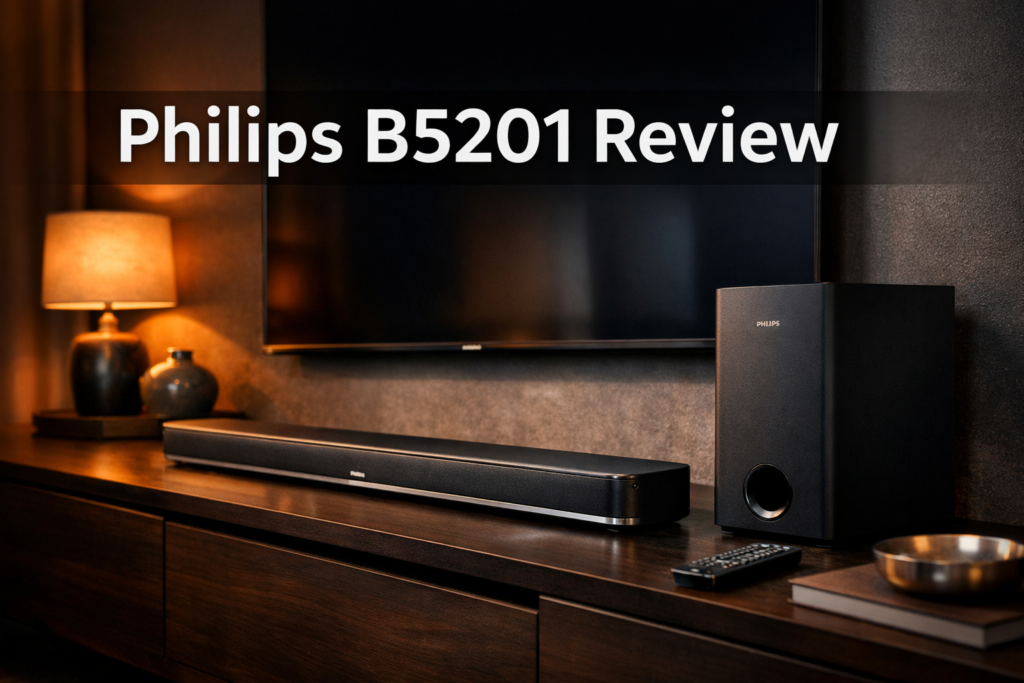
The Philips B5201 features a minimalist design with a black fabric grille covering the front of the soundbar.
The construction feels solid for its price range, though it doesn’t match the premium materials you’d find in higher-end models.
The matte black finish resists fingerprints reasonably well, and the overall aesthetic blends seamlessly with most TV setups.
Soundbar dimensions: At just over 35 inches wide, the B5201 fits comfortably under most TVs ranging from 40 to 55 inches.
The low-profile design (only 3.1 inches tall) ensures it won’t block your TV’s IR sensor or lower portion of the screen.
The wireless subwoofer measures approximately 7.5 x 12 x 12 inches—compact enough to tuck beside furniture or in a corner.
The wireless connection eliminates cable clutter, though you’ll still need to position it near a power outlet. 🔌
Setup and Installation
I found the setup process refreshingly straightforward. Here’s what you can expect:
- Unbox and position the soundbar below or in front of your TV
- Place the subwoofer within 15-20 feet of the soundbar (it pairs automatically)
- Connect to your TV using HDMI ARC (preferred) or optical cable
- Power on both units and adjust initial settings
The entire process took me less than 10 minutes. If you’re new to soundbar setup, our guide on connecting your soundbar to TV provides additional troubleshooting tips.
For wall mounting, Philips includes the necessary hardware and template. The soundbar weighs only about 4 pounds, making it easy to handle during installation. Check out our soundbar wall mounting guide for best practices.
Sound Performance: The Heart of This Philips B5201 Review
Audio Quality Analysis
Dialogue clarity: The B5201 excels at reproducing clear, intelligible dialogue—a crucial factor for TV and movie watching. The dedicated center channel processing ensures voices remain distinct even during action-packed scenes.
The News/Voice mode further enhances speech frequencies, making it excellent for talk shows and news programs.
Bass response: The wireless subwoofer delivers surprisingly punchy bass for its size. Action movies benefit from rumbling explosions and impactful sound effects.
However, the bass can occasionally feel slightly boomy in smaller rooms, and audiophiles may notice it lacks the tight, controlled response of more expensive systems.
Music performance: While the B5201 isn’t designed primarily for music listening, it handles various genres reasonably well.
The Music mode opens up the soundstage and provides decent stereo separation. However, it can’t match dedicated music-focused soundbars when it comes to nuanced instrumental detail or vocal warmth.
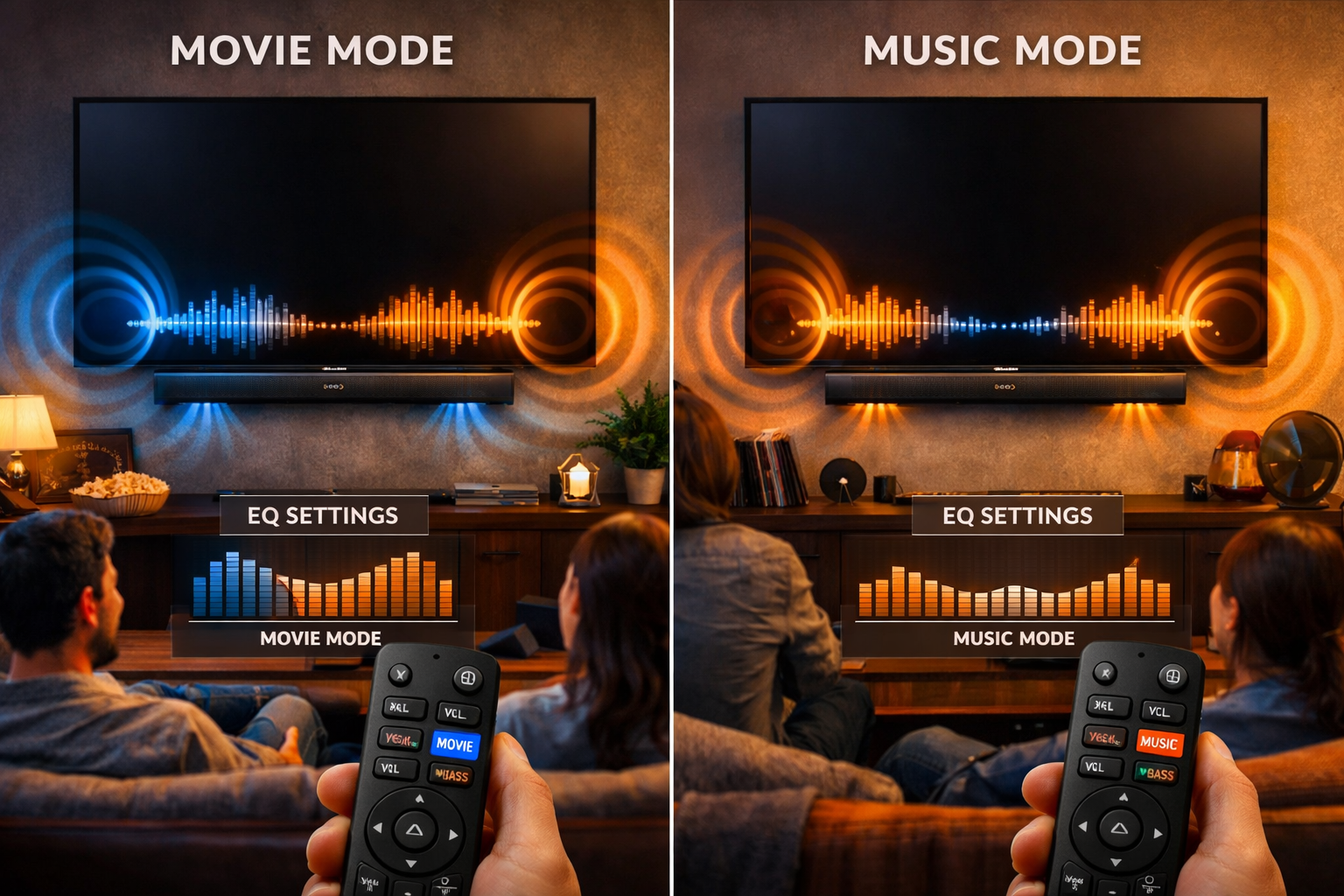
Sound Modes and Customization
The B5201 offers three preset sound modes:
- 🎬 Movie Mode: Emphasizes surround effects and bass impact
- 🎵 Music Mode: Balanced frequency response with enhanced stereo imaging
- 📺 News/Voice Mode: Prioritizes dialogue clarity and reduces bass
These modes are easily accessible via the remote control, though there’s no smartphone app for more granular EQ adjustments. For most users, the presets provide sufficient customization.
Volume and Power
With 120W of total power, the B5201 can fill small to medium-sized rooms (up to 300 square feet) without strain.
I tested it in a 15×18-foot living room and found it reached satisfying volume levels without significant distortion. However, in larger spaces or for outdoor use, you might find it lacking the sheer power of higher-wattage systems.
The soundbar maintains clarity even at lower volumes, perfect for late-night viewing without disturbing others.
This makes it a practical choice for apartment dwellers or shared living situations.
Check Price and Availability at Amazon –>
Connectivity and Features
Connection Options
The Philips B5201 provides multiple connectivity options to accommodate different TV models and user preferences:
HDMI ARC (Audio Return Channel): This is the recommended connection method for modern TVs. It allows single-cable connection and enables your TV remote to control the soundbar volume. Most TVs manufactured after 2015 include HDMI ARC support.
Optical (Toslink): For older TVs without HDMI ARC, the optical connection provides reliable digital audio transmission. The cable is included in the box.
Bluetooth 5.0: Stream music wirelessly from smartphones, tablets, or computers. The connection proved stable during my testing, maintaining signal up to about 30 feet without dropouts.
3.5mm AUX input: A versatile analog option for connecting older devices or portable music players.
Bluetooth Performance
Pairing via Bluetooth is simple, hold the Bluetooth button on the remote, and the soundbar enters pairing mode. Audio quality over Bluetooth is acceptable for casual music listening, though audiophiles will notice some compression compared to wired connections.
Latency: I experienced minimal audio delay when streaming music. However, when watching video content via Bluetooth, there’s slight lip-sync delay. For video, stick with HDMI or optical connections.
What’s Missing?
To keep costs down, Philips omitted several features found in premium soundbars:
- ❌ No Dolby Atmos or DTS:X support (for those seeking best soundbar for Dolby Atmos, look elsewhere)
- ❌ No Wi-Fi connectivity or multi-room audio
- ❌ No voice assistant integration (Alexa, Google Assistant)
- ❌ No HDMI eARC or 4K passthrough
- ❌ No dedicated app for advanced controls
These omissions are understandable given the price point, but they’re worth noting if you’re comparing against mid-range alternatives.
Philips B5201 Review: Pros and Cons
What I Loved ✅
Exceptional value: The B5201 delivers significantly better sound than TV speakers at a fraction of the cost of premium soundbars. For budget-conscious buyers, it represents excellent bang for your buck.
Wireless subwoofer included: Many competitors at this price point either skip the subwoofer entirely or charge extra for it. Having it included adds tremendous value.
Easy setup: The plug-and-play nature means even tech novices can have it running in minutes. The automatic subwoofer pairing eliminates one common frustration.
Compact footprint: Both the soundbar and subwoofer are reasonably sized, making them suitable for apartments or smaller entertainment spaces.
Clear dialogue: The dedicated voice enhancement mode genuinely improves speech intelligibility—a feature my family appreciated during movie nights.
What Could Be Better ❌
No advanced audio formats: The lack of Dolby Atmos means you’re missing out on immersive 3D audio experiences that newer content offers.
Basic remote: The included remote is functional but feels cheap. Buttons are small and lack backlighting for dark room use.
Limited customization: Without an app or manual EQ controls, you’re stuck with the three preset sound modes. Audiophiles will want more control.
Subwoofer placement sensitivity: The wireless subwoofer’s performance varies significantly based on placement. Finding the optimal spot requires experimentation.
Build quality: While adequate, the materials feel budget-appropriate. The plastic construction won’t impress those accustomed to premium products.
How Does the Philips B5201 Compare?
Philips B5201 vs. Budget Competitors
When compared to other best budget soundbar with subwoofer options, the B5201 holds its own:
vs. VIZIO V-Series: The VIZIO typically offers slightly better bass control and includes DTS Virtual:X, but the Philips provides clearer dialogue reproduction.
v. Samsung HW-C450: The Samsung HW-C450 offers similar features with Samsung-specific TV integration benefits, but the Philips wireless subwoofer is more convenient than Samsung’s wired option.
vs. Sony HT-S100F: The Sony Soundbar HT-S100F is more compact and budget-friendly but lacks a subwoofer entirely, making the Philips superior for bass response.
When to Choose Something Else
Consider alternatives if you:
- Need Dolby Atmos: Look at the JBL Bar 5.0 Multibeam or similar mid-range options
- Want premium build quality: The Bose TV Speaker offers superior materials and brand prestige
- Have a large room: More powerful systems like the VIZIO Elevate SE handle bigger spaces better
- Primarily listen to music: Dedicated music soundbars offer better fidelity for audiophile listening
Who Should Buy the Philips B5201?
Ideal Buyers 🎯
Budget-conscious upgraders: If you’re tired of tinny TV speakers but can’t justify spending $500+ on audio, the B5201 hits the sweet spot.
Apartment dwellers: The compact size and moderate power output are perfect for smaller living spaces where massive systems would be overkill.
Casual viewers: For everyday TV watching, streaming shows, and occasional movie nights, this soundbar provides all the performance most people need.
First-time soundbar buyers: The simple setup and operation make it an excellent introduction to home audio upgrades without overwhelming complexity.
Secondary room setup: Perfect for bedrooms, guest rooms, or home offices where you want better sound without major investment.
Who Should Skip It ⚠️
Home theater enthusiasts: If you’re building a serious home theater, invest in systems with Dolby Atmos and more sophisticated audio processing.
Large room owners: Spaces over 300 square feet will expose the B5201’s power limitations.
Audiophiles: Music lovers seeking reference-quality sound reproduction should look at specialized music soundbars or separate component systems.
Smart home integrators: Without voice assistant support or app control, the B5201 won’t integrate into smart home ecosystems.
Practical Tips for Getting the Best Performance
Optimal Placement
Soundbar positioning: Center it directly below your TV at ear level when seated. Avoid placing it inside a cabinet, which muffles sound.
Subwoofer placement: Start by placing it near the front corner of your room. Use the “subwoofer crawl” technique, place the sub in your seating position, play bass-heavy content, then walk around the room’s perimeter to find where bass sounds best.
Place the subwoofer in that spot. Our best subwoofer placement guide offers more detailed advice.
Settings Optimization
- Enable HDMI CEC: This allows your TV remote to control soundbar volume seamlessly
- Start with Movie mode: It provides the most balanced sound for general content
- Adjust subwoofer level: If bass feels overwhelming, most remotes allow subwoofer volume adjustment independent of the main speakers
- Disable TV speakers: Ensure your TV’s internal speakers are turned off to prevent audio conflicts
Maintenance and Care
- Dust regularly: Use a soft, dry cloth to wipe down the soundbar and subwoofer
- Avoid moisture: Keep the units away from windows and humid areas
- Update firmware: Check Philips’ website periodically for firmware updates (if available for your model)
- Secure cables: Use cable ties to organize connections and prevent accidental disconnection
Check Price and Availability at Amazon –>
Conclusion: Final Verdict on the Philips B5201
After thorough testing and comparison, the Philips B5201 proves to be a solid entry-level soundbar that delivers on its core promise: significantly better audio than your TV’s built-in speakers without requiring a second mortgage.
It won’t compete with premium systems in terms of features or audiophile-grade sound quality, but that’s not its purpose.
The inclusion of a wireless subwoofer at this price point is genuinely impressive, and the clear dialogue reproduction makes it particularly well-suited for TV and movie watching.
Setup is refreshingly simple, and the compact design fits seamlessly into most entertainment spaces.
My recommendation: If you’re shopping in the $150-$200 range and prioritize value, ease of use, and decent all-around performance, the Philips B5201 deserves serious consideration.
It’s an excellent first soundbar or secondary room solution that punches above its weight class.
However, if you’re willing to stretch your budget by $100-$200 more, you’ll find options with Dolby Atmos, better build quality, and more advanced features.
Consider your priorities, room size, and budget carefully before making your final decision.
Next Steps 🚀
Ready to upgrade your audio experience? Here’s what to do:
- Measure your space: Ensure the B5201’s dimensions work for your setup
- Check compatibility: Verify your TV has HDMI ARC or optical output
- Compare prices: Shop around for the best deal—prices can vary by $30-$50 between retailers
- Read more reviews: Check out our best soundbar guide to compare alternatives
- Consider your needs: If you need specific features we’ve discussed, explore our specialized guides
The Philips B5201 may not be perfect, but for the right buyer, it’s a smart, practical choice that transforms TV watching without breaking the bank.
Your ears (and your wallet) will thank you. 🎉