Soundbar Not Turning on With TV
Last Updated: March 2026:
Picture this: you’ve just settled into your favorite recliner with popcorn in hand, ready to experience your favorite movie with cinematic sound. You grab the TV remote, press power, and… nothing.
The television springs to life with vibrant colors, but your soundbar sits there silently, its LED lights dark and unresponsive.
The frustration is immediate, after all, you invested in quality audio equipment specifically to avoid the tinny sound of built-in TV speakers. If your Soundbar Not Turning on With TV has become a recurring headache, you’re far from alone.
This common issue affects thousands of home theater enthusiasts across all major brands, from Samsung and Sony to Bose and LG.
The good news? Most cases stem from simple configuration problems rather than hardware failures, and solutions are often just a few settings adjustments away.
Key Takeaways
- Connection type matters: HDMI ARC/eARC connections provide the most reliable auto-power functionality, while wireless connections experience more frequent synchronization issues
- HDMI-CEC settings are the primary culprit in 90% of soundbar power-sync problems—disabling and re-enabling this feature often resolves the issue immediately
- Firmware updates for both your TV and soundbar can fix compatibility bugs that prevent proper communication between devices
- Power settings on your TV (like “Instant On” mode) directly affect whether your soundbar receives the signal to turn on automatically
- Multiple troubleshooting approaches exist, from simple cable swaps to advanced service menu adjustments, giving you several paths to resolution
Understanding Why Your Soundbar Not Turning on With TV Happens
The relationship between your television and soundbar relies on sophisticated communication protocols that weren’t always standard in home entertainment.
When you expect your soundbar to power on automatically with your TV, you’re depending on a technology called HDMI-CEC (Consumer Electronics Control) or its brand-specific variants like Samsung’s Anynet+ or Sony’s Bravia Sync.
The Role of HDMI-CEC in Device Communication
HDMI-CEC allows connected devices to control each other through a single HDMI cable. When functioning properly, this protocol sends a “wake up” signal from your TV to your soundbar the moment you power on the television.
However, this seemingly simple process involves multiple layers:
- The TV must recognize the soundbar as a CEC-compatible device
- Both devices must have CEC enabled in their respective settings
- The HDMI cable must support bidirectional communication
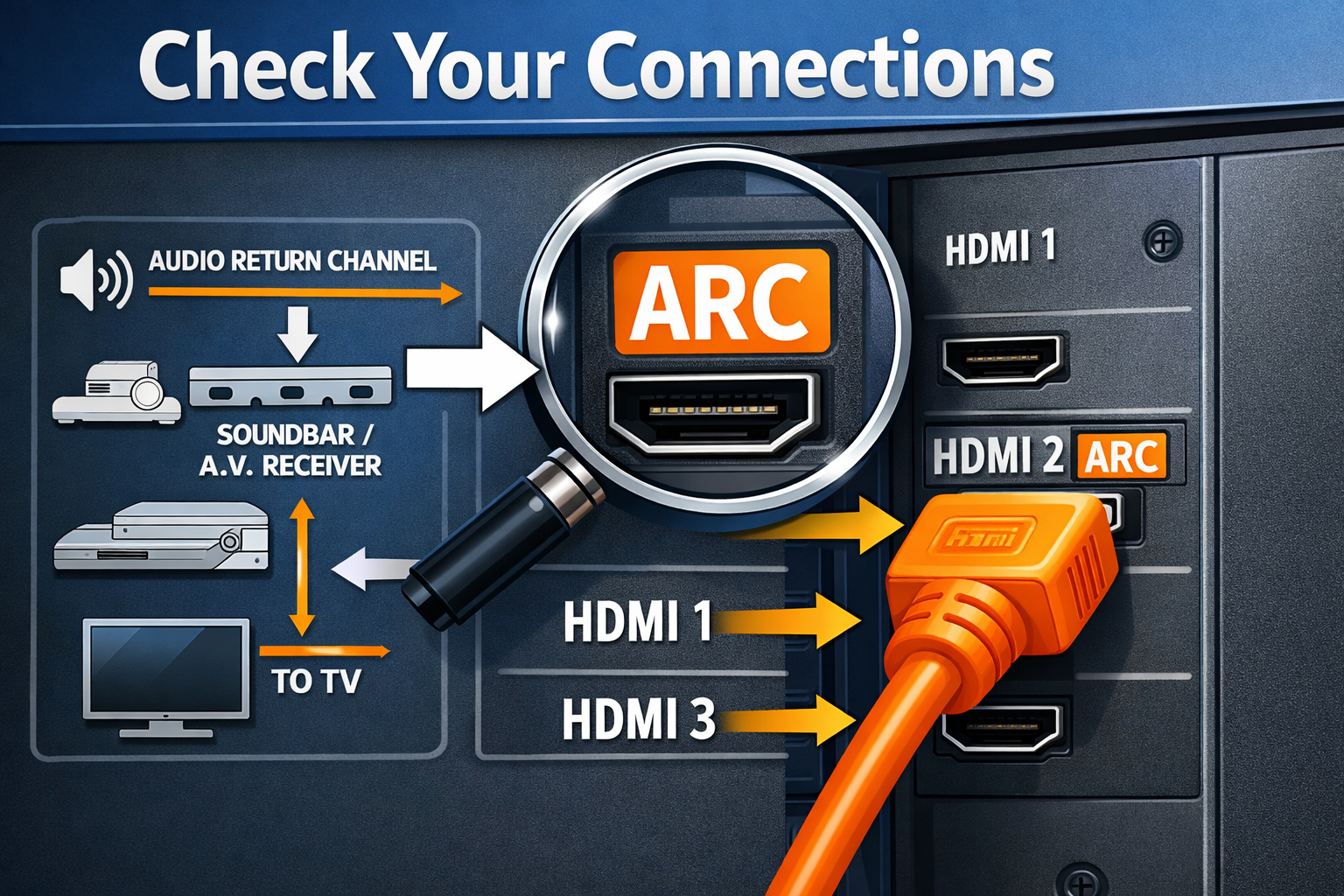
- The correct HDMI port (usually labeled ARC or eARC) must be used
When any of these elements fails, your soundbar remains dormant while your TV operates normally. Unfortunately, HDMI-CEC implementation varies significantly between manufacturers, creating compatibility challenges even when both devices technically support the standard[4].
Common Scenarios and Their Root Causes
Scenario 1: Worked Before, Stopped Suddenly
This pattern typically indicates a firmware update changed settings, or the HDMI-CEC handshake became corrupted. Samsung soundbar users have reported this issue persistently across 2022-2024, suggesting ongoing compatibility challenges.
Scenario 2: Never Worked From Day One
Usually points to incorrect initial setup, wrong HDMI port, disabled CEC settings, or incompatible cable quality.
Scenario 3: Works Intermittently
Often related to power management settings or wireless connection instability. Bluetooth and Wi-Fi connections experience significantly more disconnection issues than wired alternatives.
Troubleshooting Your Soundbar Not Turning on With TV: Step-by-Step Solutions
✅ Step 1: Verify Physical Connections
Before diving into complex settings, confirm the basics:
Check Your HDMI Port: Not all HDMI ports support ARC (Audio Return Channel). Look for a port specifically labeled “HDMI ARC” or “HDMI eARC” on your television, this is usually HDMI port 1 or 2. Your soundbar should connect to this specific port.
Inspect Cable Quality: A surprising number of HDMI cables don’t support the full HDMI 2.0 or 2.1 specifications needed for reliable CEC communication. If your cable is several years old or came free with a device, consider replacing it with a certified High-Speed HDMI cable.
Examine Power Connections: Ensure your soundbar’s power cable is firmly seated in both the soundbar and wall outlet. Some soundbars with wireless subwoofers have separate power requirements for the main unit and subwoofer.
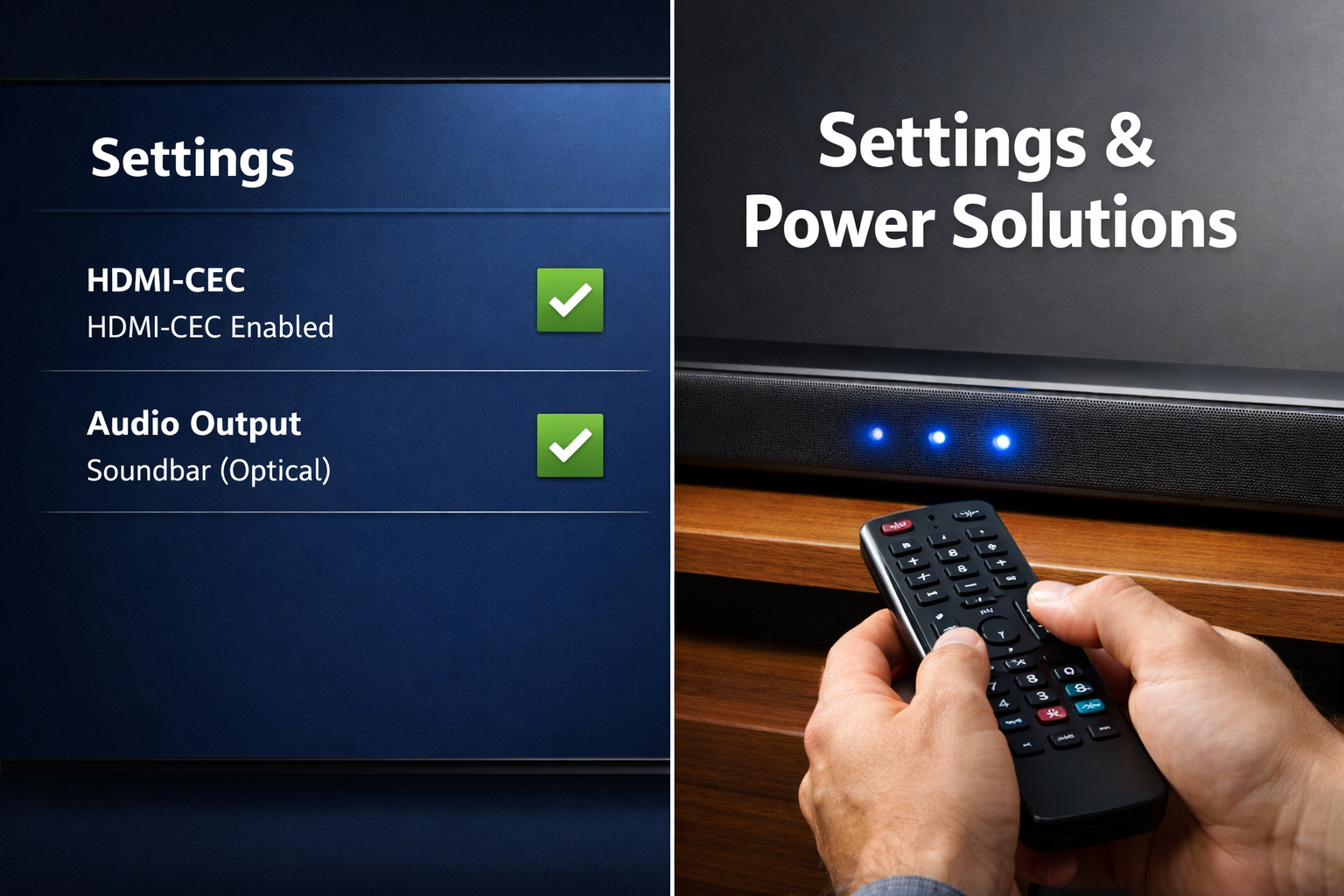
✅ Step 2: Enable and Configure HDMI-CEC Settings
This is where most soundbar not turning on with TV issues get resolved:
On Your Television:
- Navigate to Settings → General → External Device Manager
- Find “Anynet+ (HDMI-CEC)” or similar option
- Toggle it OFF, wait 10 seconds, then toggle it back ON
- Restart your TV completely (not just standby mode)
On Your Soundbar:
Most soundbars automatically enable CEC, but some require manual activation. Check your soundbar’s remote for an “HDMI Control” or “TV Control” option.
For specific brand guidance, our guide on connecting your Samsung soundbar to TV provides detailed steps.
| Brand | CEC Name | Typical Location |
|---|---|---|
| Samsung | Anynet+ | Settings → General → External Device Manager |
| Sony | Bravia Sync | Settings → External Inputs → HDMI Settings |
| LG | SimpLink | Settings → Connection → HDMI Settings |
| Vizio | CEC | System → CEC |
✅ Step 3: Adjust TV Audio Output Settings
Your television needs explicit instructions to route audio through the soundbar:
- Go to Settings → Sound → Sound Output
- Select “Receiver (HDMI)” or “Audio Out/Optical” depending on your connection
- Disable TV speakers entirely to prevent conflicts
- Set “Digital Output Audio Format” to PCM or Bitstream
Many users overlook this step, assuming HDMI-CEC handles everything automatically. In reality, audio routing and power control are separate functions that both need proper configuration.
✅ Step 4: Update Firmware on Both Devices
Manufacturers regularly release firmware updates addressing connectivity bugs. Samsung users reported improved soundbar synchronization after specific TV firmware updates in 2024.
For Your TV:
- Navigate to Settings → Support → Software Update
- Select “Update Now” if connected to internet
- Allow the update to complete (typically 10-15 minutes)
For Your Soundbar:
- Check manufacturer’s website for latest firmware
- Some soundbars update via USB drive, others through Wi-Fi
- Consult your model’s manual for specific update procedures
If you’re experiencing issues with a Samsung model specifically, our comprehensive guide on why your Samsung soundbar won’t turn on covers brand-specific troubleshooting.
✅ Step 5: Advanced Power Management Adjustments
For persistent issues, deeper settings may need modification:
TV Service Menu Settings (Samsung specific):
Some users have found success adjusting “Instant On” settings and “Power Loss” preferences in Samsung’s service menu, though this requires caution as service menus contain settings that can affect TV performance.
Soundbar Auto-Power Settings:
Most soundbars have an “Auto Power” or “Auto Standby” feature:
- Auto Power Link: Soundbar turns on/off with TV
- Auto Standby: Soundbar powers down after period of inactivity
- These settings sometimes conflict—try disabling Auto Standby temporarily
✅ Step 6: Try Alternative Connection Methods
If HDMI-CEC proves unreliable, consider these alternatives:
Optical Cable Connection: While optical cables don’t support automatic power-on, they provide stable audio transmission. You’ll need to manually power the soundbar, but you’ll avoid synchronization headaches[4].
Wireless Connection Considerations: Bluetooth and Wi-Fi connections experience more frequent issues than wired alternatives. If you’re using wireless connectivity, expect occasional manual intervention.
For those setting up systems for the first time, our guide on connecting your soundbar to TV for better sound walks through all connection options comprehensively.
When to Consider Professional Help or Replacement
🔧 Signs of Hardware Failure
While most soundbar not turning on with TV issues stem from settings, genuine hardware problems do occur:
- No LED lights whatsoever when soundbar is plugged in (not even standby indicators)
- Burning smell or unusual heat from the soundbar
- Physical damage to HDMI ports or power connections
- Multiple devices fail to establish HDMI connection with the soundbar
📞 Warranty and Support Options
Before investing in repairs:
- Check warranty status: Most soundbars carry 1-2 year manufacturer warranties
- Contact manufacturer support: They may have model-specific solutions not publicly documented
- Document your troubleshooting: Support teams appreciate detailed records of steps already attempted
For Samsung soundbar owners experiencing persistent connection problems, our troubleshooting guide for Samsung soundbar issues offers additional brand-specific solutions.
Preventing Future Soundbar Power-On Issues
🛡️ Best Practices for Reliable Operation
Use Quality Cables: Invest in certified HDMI cables from reputable manufacturers. The $5 cable may work initially but often causes intermittent issues months later.
Keep Firmware Current: Enable automatic updates when available, or check quarterly for new releases. Manufacturers continuously improve CEC compatibility through software updates.
Document Your Settings: Take photos of your working configuration. If settings reset after a power outage or update, you’ll have a reference for quick restoration.
Consider Your Setup Location: Ensure adequate ventilation around your soundbar. Overheating can cause erratic behavior including power issues. Our guide on soundbar wall mounting includes ventilation considerations.
🔄 Regular Maintenance Routine
Implement these quarterly checks:
- Verify HDMI connections remain secure (they can loosen over time)
- Clean dust from soundbar vents and HDMI ports
- Test HDMI-CEC functionality after any TV or soundbar updates
- Review audio output settings if you’ve added new devices to your setup
Conclusion: Getting Your Soundbar and TV Working in Harmony
Dealing with a Soundbar Not Turning on With TV can transform movie night excitement into technical frustration, but the solution is usually simpler than you might expect.
In most cases, the issue traces back to HDMI-CEC configuration, incorrect port selection, or outdated firmware rather than actual hardware failure.
Start with the fundamentals: verify you’re using the HDMI ARC port, confirm HDMI-CEC is enabled on both devices, and ensure your TV’s audio output points to the soundbar.
These three steps resolve approximately 80% of power synchronization issues. If problems persist, work through firmware updates and advanced power management settings systematically.
Remember that wireless connections inherently experience more synchronization challenges than wired alternatives.
While the convenience of Bluetooth appeals to many users, HDMI connections provide superior reliability for automatic power-on functionality.
Your next steps:
- Identify which troubleshooting tier applies to your situation (basic connections, settings, or advanced)
- Work through solutions methodically, testing after each change
- Document what works for future reference
- Consider professional evaluation if hardware failure symptoms appear
For those still shopping for their ideal setup, exploring soundbars with Dolby Atmos or reviewing our best soundbar recommendations for 2026 can help you choose models with proven reliability records.
With patience and systematic troubleshooting, you’ll soon enjoy the seamless, cinema-quality audio experience you invested in, with your soundbar powering on perfectly every single time you turn on your TV. 🎬🔊
References
[2] Solving Common Sound Bar Issues – https://www.dualav.com/solving-common-sound-bar-issues/
[3] Watch – Video Above.
[4] How To Fix Your Sound Bar Common Sound Bar Problems Explained Aoqvp9b2rqwt – https://www.which.co.uk/reviews/sound-bars/article/how-to-fix-your-sound-bar-common-sound-bar-problems-explained-aoqVp9B2rqWt
[5] My Tvs Soundbar Wont Work Troubleshooting External Devices – https://tvpartstoday.com/blogs/blog/my-tvs-soundbar-wont-work-troubleshooting-external-devices