What Makes a Good Sound Bar
Last updated: May 01, 2026
Quick Answer: What Makes a Good Sound Bar delivers clear, balanced audio across dialogue, music, and effects, without distortion at high volumes.
The best models combine quality drivers, sufficient power output, smart connectivity (HDMI ARC/eARC, Bluetooth, Wi-Fi), and a form factor that fits your room and TV setup. Price matters less than matching the right features to your actual listening needs.
Key Takeaways
- Audio quality — driver size, channel count, and frequency range — is the single most important factor in a good sound bar.
- Dolby Atmos and DTS:X support adds height and spatial audio, but only matters if your content source supports those formats.
- HDMI eARC is the best connection method for most TVs in 2026; optical is a fallback, not a preference.
- A separate subwoofer (wired or wireless) dramatically improves bass response compared to built-in bass drivers.
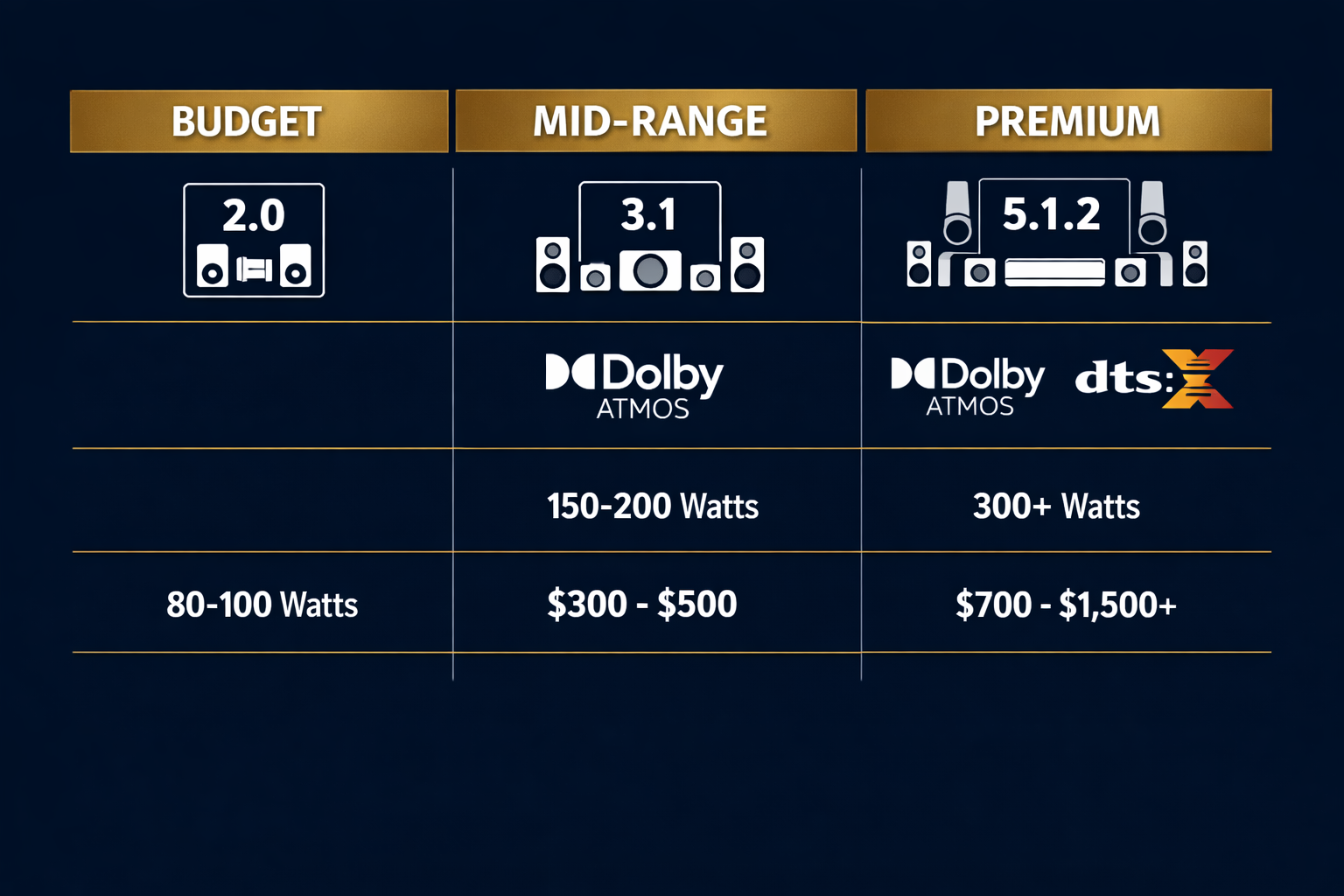
- Room size should guide your wattage and channel choice — a 2.0 bar is fine for a bedroom; a 5.1.2 system suits a large living room.
- Dialogue clarity is often more important than raw power, especially for TV watching and streaming.
- Build quality and design affect long-term durability and whether the bar blends with your setup.
- Budget options under $150 can sound good; premium models above $500 offer measurable improvements in spatial audio and detail.
What Makes a Good Sound Bar? The Core Audio Fundamentals
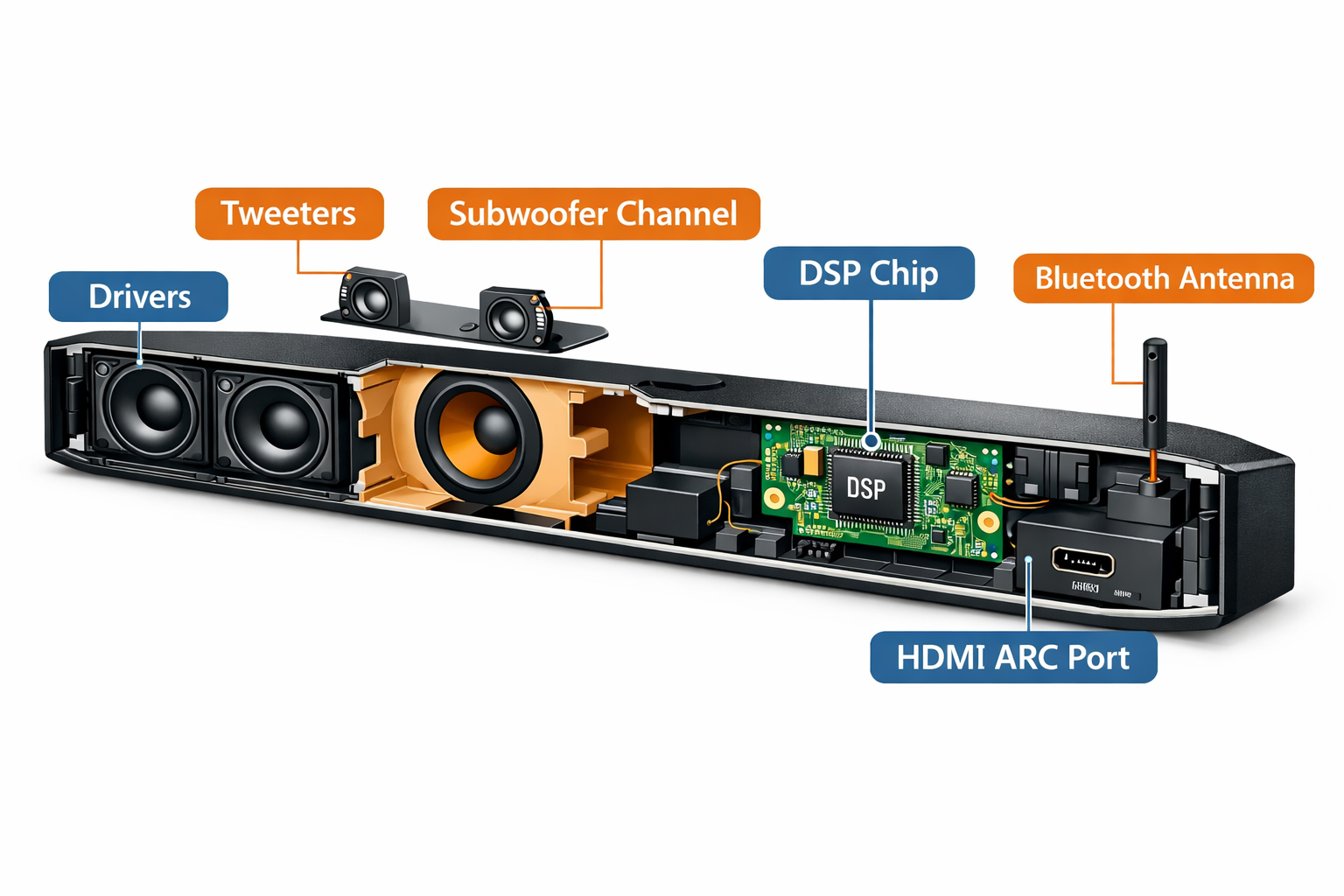
A good sound bar starts with its drivers, the physical speakers inside the housing that produce sound. More drivers, larger drivers, and better driver placement all contribute to fuller, more accurate audio reproduction.
Here’s what to look at inside the spec sheet:
Driver configuration (channels):
- 2.0 — Two channels (left and right). Compact, affordable, good for small rooms.
- 2.1 — Two channels plus a subwoofer. Better bass, still simple.
- 3.1 — Adds a center channel for clearer dialogue. Great for TV watching.
- 5.1 or 5.1.2 — Surround channels plus upward-firing drivers for overhead audio. Best for home theater.
Frequency response: A wider frequency range (typically 40Hz–20kHz for a decent bar) means the unit can reproduce both deep bass and crisp highs. Bars without a subwoofer often struggle below 80Hz.
Total harmonic distortion (THD): Lower is better. A THD under 1% at moderate listening volumes is a reasonable benchmark for a quality unit.
“The channel count tells you how many directions sound can come from. The driver quality tells you how good each direction sounds.”
Common mistake: Buyers often focus on wattage (RMS output) as a proxy for quality. Watts measure loudness potential, not audio fidelity. A 60W bar with quality drivers will outperform a 200W bar with cheap ones in most listening tests.
If you’re new to the category, our guide on what a soundbar for TV actually does is a useful starting point before comparing specs.
How Do Audio Formats Affect Sound Bar Quality?
Audio format support determines whether a sound bar can decode and reproduce the full spatial audio mix from your TV, streaming service, or Blu-ray player. This is one of the clearest dividing lines between budget and mid-range models.
Key formats to know:
| Format | What It Does | Requires |
|---|---|---|
| Dolby Atmos | Adds height channels, 3D object-based audio | Atmos-capable bar + Atmos content |
| DTS:X | Similar to Atmos, different licensing | DTS:X-capable bar + DTS:X content |
| Dolby TrueHD | Lossless surround audio | HDMI eARC connection |
| PCM Stereo | Basic two-channel audio | Any connection |
| Dolby Digital Plus | Compressed surround, used by Netflix/Disney+ | HDMI ARC or eARC |
Choose Dolby Atmos support if: You watch a lot of Netflix, Disney+, Apple TV+, or 4K Blu-ray content and want the most immersive audio experience available.
For a deeper look at which models deliver on this promise, see our soundbars with Dolby Atmos comparison.
Skip Atmos if: You mainly watch cable TV, older streaming content, or use your bar primarily for music. The premium isn’t worth it in those cases.
What Connectivity Features Should a Good Sound Bar Have?
Connectivity determines how well a sound bar integrates with your existing gear. A bar with great audio but poor connectivity will frustrate you within a week.
Must-have connections in 2026:
- HDMI eARC — Carries high-quality audio (including lossless formats) between your TV and soundbar over a single cable. This is the standard to prioritize. If your TV only has ARC (not eARC), you’ll be limited to compressed audio formats.
- Bluetooth 5.0+ — For wireless music streaming from a phone or tablet. Bluetooth 5.0 reduces latency and improves range compared to older versions.
- Optical input — Useful as a backup for older TVs without HDMI ARC. Not ideal as a primary connection because it can’t carry lossless audio.
Nice-to-have connections:
- Wi-Fi / multi-room audio — Allows integration with Sonos, Google Home, or Amazon Echo ecosystems.
- USB input — For playing audio files directly.
- 3.5mm aux input — Handy for connecting older devices.
If you run into connection problems after setup, this troubleshooting guide for soundbar-to-TV connections covers the most common fixes.
Does a Subwoofer Make a Sound Bar Better?
Yes — in most cases, a dedicated subwoofer (wired or wireless) significantly improves a sound bar’s bass performance.
Built-in bass drivers in a soundbar housing are physically constrained by the bar’s slim form factor, which limits how low and how powerfully they can reproduce bass frequencies.
Wired vs. wireless subwoofer:
- Wireless is more convenient for placement flexibility and cleaner cable management. Most mid-range and premium sound bars include a wireless sub.
- Wired subwoofers are less common in modern setups but can offer more stable signal transmission in environments with wireless interference.
Placement matters: A subwoofer doesn’t need to be directly in front of you — low-frequency sound is non-directional. Placing it along a side wall or in a corner can actually reinforce bass output. For specific tips, see our best subwoofer placement guide for soundbar setups.
Edge case: In a small bedroom or home office, a 2.0 or 2.1 bar without a separate subwoofer may be sufficient — and the extra hardware just adds clutter. Room size is the deciding factor here.
What Makes a Good Sound Bar for Dialogue and Voice Clarity?
Dialogue clarity is the most practical measure of a sound bar’s quality for everyday TV watching. Many people upgrade from their TV’s built-in speakers specifically because voices sound muddy, too quiet, or hard to follow during action sequences.
A center channel (found in 3.1 and 5.1 configurations) is specifically designed to anchor dialogue to the screen. Without one, dialogue is mixed across left and right channels, which can reduce clarity.
What to look for:
- Dedicated center channel driver — The single biggest improvement for dialogue.
- Speech enhancement or dialogue mode — A DSP (digital signal processing) preset that boosts mid-range frequencies where human voices live (roughly 300Hz–3kHz).
- Night mode — Compresses the dynamic range so dialogue stays audible without explosions blasting at full volume.
For specific model recommendations focused on voice clarity, our best soundbar for dialogue guide breaks down the top performers across price ranges.
How Does Room Size Affect Which Sound Bar Is Right for You?
Room size directly affects how much power you need and how many channels will actually make a difference. A 5.1.2 system in a 10×10 bedroom is overkill; a 2.0 bar in a 400 sq ft open-plan living room will sound thin and flat.
General sizing guide:
| Room Size | Recommended Config | Wattage Range |
|---|---|---|
| Small (under 150 sq ft) | 2.0 or 2.1 | 40–80W |
| Medium (150–300 sq ft) | 3.1 or 5.1 | 80–200W |
| Large (300+ sq ft) | 5.1.2 or 7.1.2 | 200W+ |
Ceiling height matters too. Rooms with high ceilings (above 9 feet) benefit more from Dolby Atmos upward-firing drivers because there’s enough vertical space for the reflected sound to create a convincing overhead effect. In low-ceiling rooms, Atmos can sound less distinct.
If you’re shopping for a specific TV brand, pairing matters. For Samsung TV owners, our best soundbar for Samsung TV guide covers compatibility and performance in detail.
What Makes a Good Sound Bar in Terms of Build Quality and Design?
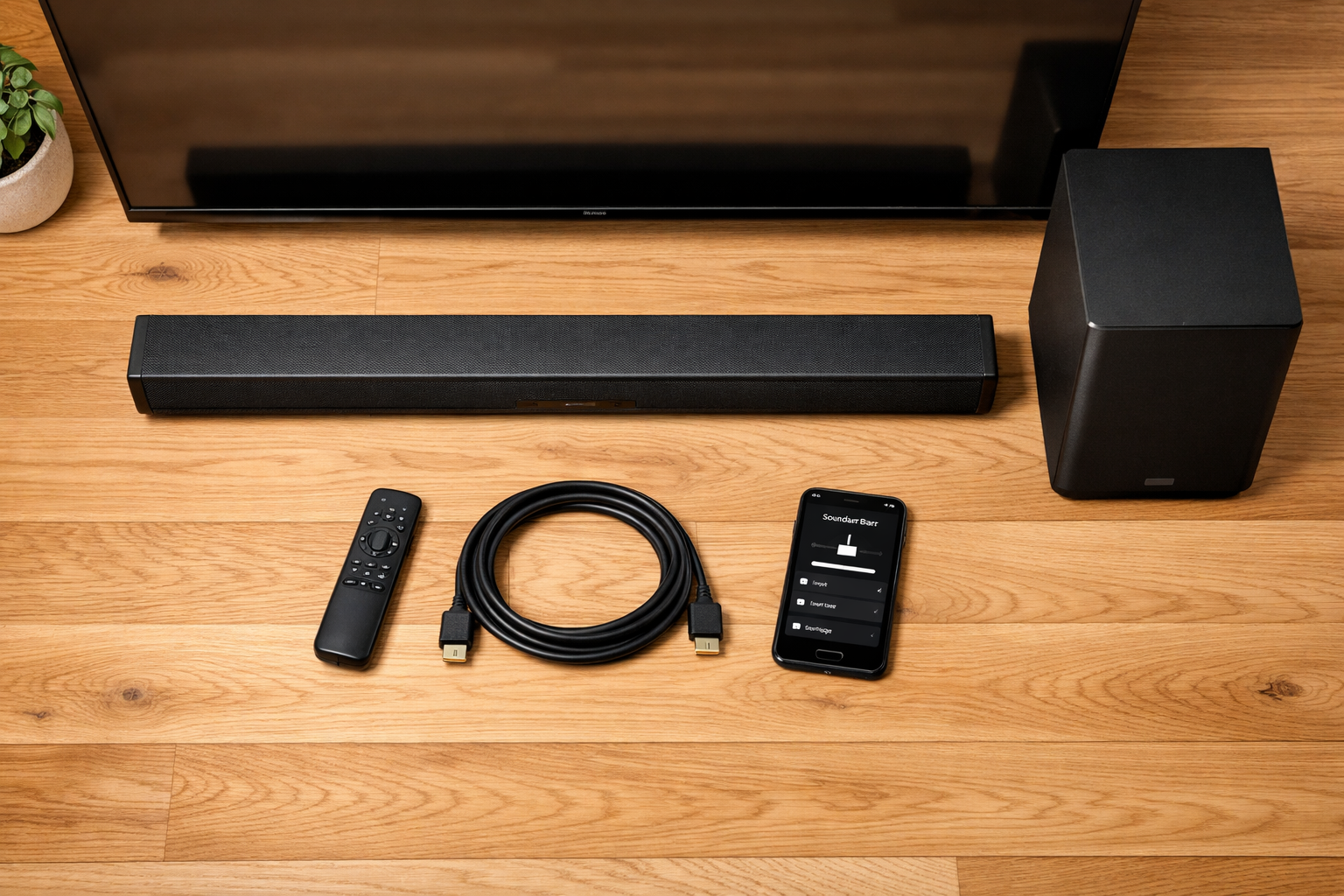
Build quality affects both durability and acoustics. A well-built enclosure reduces resonance and vibration, which directly improves sound clarity at higher volumes.
Physical build indicators:
- Enclosure material: Aluminum or thick ABS plastic housings resonate less than thin, cheap plastic. Tap the bar — a hollow sound suggests thin walls.
- Grille quality: Fabric grilles (vs. plastic mesh) tend to be more acoustically transparent and less prone to rattling.
- Weight: Heavier units generally have more substantial internal components and better-damped enclosures. This isn’t a hard rule, but it’s a useful quick check.
Design considerations:
- Width: Ideally, the sound bar should be close to the width of your TV (within a few inches either way) for visual balance.
- Height profile: A low-profile bar (under 3 inches tall) won’t block the TV’s IR sensor or remote receiver.
- Wall mount compatibility: Most bars include a wall mount kit or have standard mounting holes. If you plan to mount it, confirm this before buying. Our soundbar wall mount installation guide covers the process step by step.
What Are the Most Common Mistakes When Buying a Sound Bar?
Even well-informed buyers make avoidable mistakes. Here are the most frequent ones:
- Buying based on wattage alone. As noted above, watts ≠ quality. Listen to demos or read frequency response measurements when possible.
- Ignoring TV compatibility. Not all sound bars work seamlessly with all TVs. Samsung TVs, for example, work best with Samsung sound bars or bars that support Samsung’s Q-Symphony feature.
- Skipping the subwoofer to save money, then regretting it. Bass is a large part of the cinematic experience. A budget soundbar with subwoofer combo often costs only slightly more than a bar-only model.
- Not checking the connection ports on your TV first. If your TV only has optical out, buying a bar that relies on HDMI eARC won’t give you the best audio.
- Overlooking audio sync issues. Lip-sync delay is a common complaint. Look for bars with adjustable audio delay settings. If this affects you, our guide to fixing soundbar audio delay walks through the solutions.
FAQ: What Makes a Good Sound Bar
Q: Is a more expensive sound bar always better?
Not always. Above roughly $300–400, improvements become incremental. A $250 bar from a reputable brand will outperform a $600 bar from a lesser-known manufacturer in many real-world listening tests.
Q: Do I need Dolby Atmos for a good sound bar experience?
No. Atmos is a meaningful upgrade for home theater use, but a well-tuned 3.1 bar without Atmos will sound better for dialogue and everyday TV watching than a poorly implemented Atmos bar at the same price.
Q: What’s the minimum channel count for a good sound bar?
For most TV setups, a 3.1 configuration (left, center, right, plus subwoofer) is the sweet spot. It handles dialogue well and provides decent spatial separation without the complexity of a full surround system.
Q: Can a sound bar replace a full surround sound system?
For most people, yes — especially with a 5.1.2 configuration. Dedicated surround speaker systems still have an edge in precise channel separation, but the difference requires careful listening to notice.
What Makes a Good Sound Bar: FAQs
Q: How important is the brand?
Brand matters for software support, warranty service, and ecosystem integration. Sony, Samsung, Sonos, LG, and Bose consistently deliver reliable hardware and regular firmware updates. Lesser-known brands can offer good hardware but may lack long-term software support.
Q: What’s the best connection method for a sound bar?
HDMI eARC is the best option for audio quality and convenience. It carries lossless audio formats and allows your TV remote to control the soundbar volume. Optical is a reliable fallback.
Q: Should I get a sound bar with built-in streaming or a smart assistant?
If you already use Alexa, Google Assistant, or a specific streaming ecosystem, built-in smart features add genuine convenience. If you don’t, they add cost without benefit.
Q: How do I know if a sound bar will fit under my TV?
Measure the distance between the bottom of your TV screen and the surface it sits on. Your sound bar’s height must be less than that clearance, or you’ll need to wall-mount either the TV or the bar.
Q: Does a wireless sound bar sound as good as a wired one?
For the main bar, yes — most wireless connections (Wi-Fi or Bluetooth) are transparent to audio quality at normal listening volumes. The subwoofer connection is also lossless in most modern wireless systems.
Q: What’s a realistic budget for a good sound bar in 2026?
$150–$300 gets you a solid 3.1 bar with good dialogue clarity. $300–$600 adds Dolby Atmos, better drivers, and smarter connectivity. Above $600, you’re paying for premium spatial audio, premium build, and ecosystem features.
Conclusion: Choosing the Right Sound Bar for Your Setup
Understanding What Makes a Good Sound Bar comes down to matching the right combination of audio quality, format support, connectivity, and room fit to your actual use case.
There’s no single “best” bar — only the best bar for your room, your TV, and how you listen.
Actionable next steps:
- Measure your space — note the room size, ceiling height, and TV width before shopping.
- Check your TV’s ports — confirm whether you have HDMI ARC, eARC, or optical output.
- Set a realistic budget — decide whether you need Atmos, a subwoofer, or smart features, then find the best build quality within that range.
- Prioritize dialogue clarity if you watch a lot of TV; prioritize spatial audio if home theater is the main use.
- Read measurements, not just marketing — look for independent frequency response tests from audio review sites before committing.
For a broader look at the top-rated options available right now, our best wireless soundbar guide for 2026 covers the leading models across every price tier.
Click for Latest Prices and DealsReferences
- CNET Audio Reviews — https://www.cnet.com/audio/ (ongoing)
- RTings.com Soundbar Measurements and Reviews — https://www.rtings.com/soundbar (ongoing)
- Dolby Laboratories — “Dolby Atmos for the Home” — https://www.dolby.com/technologies/dolby-atmos/ (2023)
- DTS, Inc. — “DTS:X Technology Overview” — https://dts.com/dtsx/ (2022)
- Consumer Electronics Association — “U.S. Consumer Electronics Sales and Forecasts” — https://www.cta.tech (2024)
Click for Latest Prices and Deals