
Are Soundbars With Built in Subwoofers Good
Last updated: April 28, 2026
Quick Answer: Yes, soundbars with built-in subwoofers are genuinely good for most people. They deliver a noticeable bass improvement over standard TV speakers, save space, and eliminate cable clutter.
However, they won’t match the deep, room-filling bass of a separate external subwoofer.
They’re the right choice if convenience and clean aesthetics matter more to you than audiophile-level low-end performance.
Key Takeaways
- Soundbars with built-in subwoofers are a solid upgrade from TV speakers, especially for small to medium-sized rooms.
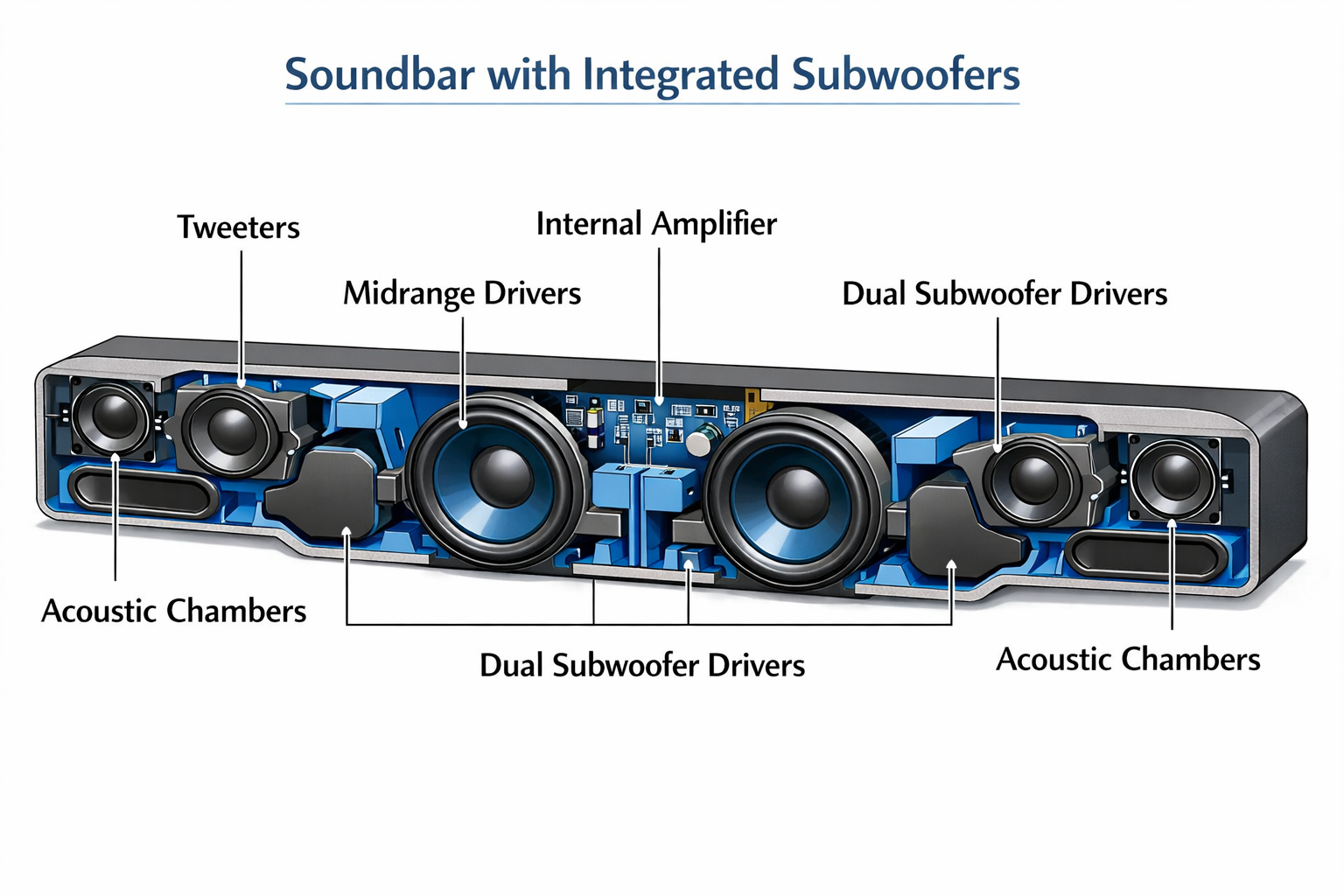
- Integrated subwoofers use passive radiators or small drivers to produce bass from within the soundbar housing.
- They’re best for people who want a simple, one-unit setup without extra boxes or cables.
- Separate external subwoofers still outperform built-in ones for deep bass below 40Hz.
- Price range for quality built-in subwoofer soundbars runs roughly $100–$500 in 2026.
- Room size matters: built-in subs work well in rooms up to about 300–400 sq ft.
- Brands like Sony, JBL, and Bose offer strong options in this category.
- If you want more bass later, you can often add an external sub to many soundbar models.
What Does “Built-in Subwoofer” Actually Mean in a Soundbar?
A built-in subwoofer means the soundbar housing contains dedicated low-frequency drivers or passive radiators designed to reproduce bass frequencies, typically between 50Hz and 120Hz. There is no separate box. The bass hardware lives inside the same unit as the mid-range and treble drivers.
Most soundbars achieve this in one of two ways:
- Passive radiators: Non-powered speaker cones inside the bar that vibrate in response to the active drivers, extending bass without needing extra amplification.
- Dedicated woofer drivers: Small 2–4 inch woofer cones built into the ends or underside of the soundbar, powered by their own amplifier channel.
The Sony HT-X8500 is a well-known example of this design, using dual built-in subwoofers and Dolby Atmos decoding in a single slim bar.
Common mistake: Many buyers assume “built-in subwoofer” means the same bass performance as a dedicated external sub. It doesn’t. The physics of a small enclosure limits how low and how loud the bass can go.
Are Soundbars With Built-in Subwoofers Good for Everyday TV Watching?
For everyday TV use, yes, soundbars with built-in subwoofers are very good. They add warmth and body to dialogue, make action scenes feel more dynamic, and remove the thin, tinny quality of flat-panel TV speakers.
Most modern flat-screen TVs have speakers rated at 10–20 watts with very little bass response below 150Hz. A soundbar with a built-in subwoofer typically extends response down to 50–80Hz, which covers most of the bass frequencies in TV shows, news, and casual movie watching.
Where they shine:
- Dialogue-heavy content like dramas and news
- Streaming shows on Netflix, Disney+, and similar platforms
- Background music while cooking or working
- Small to medium living rooms (under 350 sq ft)
Where they fall short:
- Action blockbusters with heavy sub-bass (below 40Hz)
- Large open-plan rooms where bass dissipates quickly
- Home theater setups where immersion is the primary goal
“For 80% of everyday TV viewers, a soundbar with a built-in subwoofer is more than enough. The upgrade from TV speakers alone is dramatic.”
Are Soundbars With Built-in Subwoofers Good Compared to Separate Subwoofer Setups?
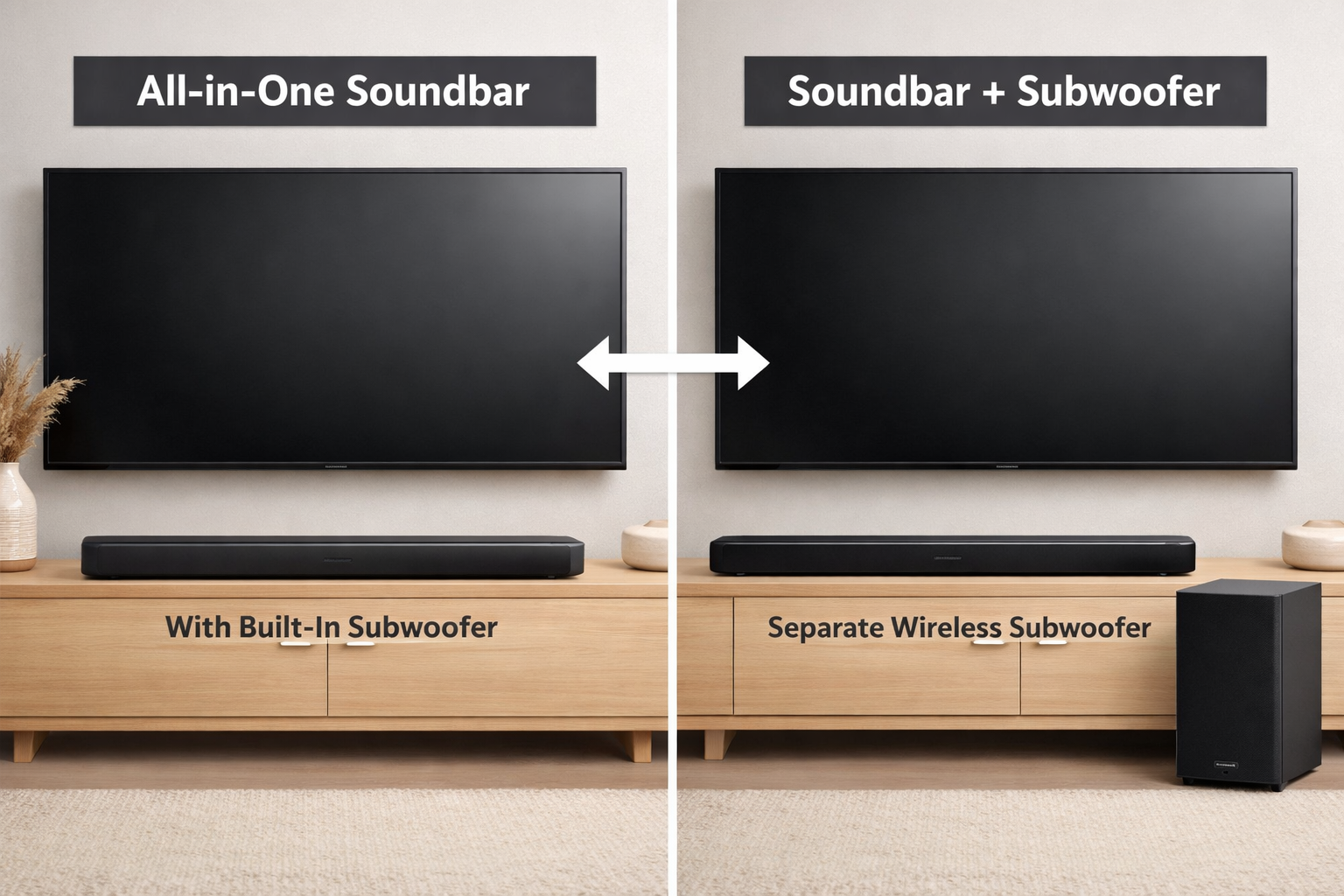
Built-in subwoofer soundbars are convenient and space-efficient, but separate subwoofer setups win on raw bass performance. This is a clear tradeoff, not a flaw.
Here’s a direct comparison:
| Feature | Built-in Subwoofer Soundbar | Soundbar + Separate Subwoofer |
|---|---|---|
| Bass depth | ~50–80Hz | ~25–40Hz |
| Setup complexity | Plug and play | Requires placement, pairing |
| Space required | Minimal | Extra floor space needed |
| Price (entry level) | $100–$300 | $200–$600+ |
| Cable clutter | None | Minimal (wireless sub) |
| Upgrade flexibility | Limited | High |
| Best room size | Up to ~350 sq ft | Any size |
If you’re considering a separate sub setup, our guide to soundbars with wireless subwoofers covers the top options in detail. For placement tips if you go that route, the best subwoofer placement guide is worth reading.
Choose a built-in subwoofer soundbar if: You rent, live in a small space, hate cables, or have a budget under $250.
Choose a separate subwoofer if: You have a dedicated media room, watch a lot of action films, or want a true home theater feel.
Who Are Soundbars With Built-in Subwoofers Best For?
These soundbars are best for renters, apartment dwellers, minimalists, and anyone upgrading from TV speakers for the first time. They’re also a smart pick for bedrooms, home offices, and smaller living rooms.
Ideal users:
- Apartment renters who can’t place a large subwoofer without bothering neighbors
- First-time upgraders moving away from TV speakers
- Minimalist decorators who don’t want extra boxes on the floor
- Bedroom TV setups where a compact, single-unit solution makes sense
- Gamers in smaller spaces who want better audio without a complex setup (see our wireless soundbars for gaming guide)
Less ideal for:
- Dedicated home theater rooms over 500 sq ft
- Audiophiles who prioritize bass accuracy and extension
- People who already own a quality external subwoofer
What Should You Look for in a Soundbar With a Built-in Subwoofer?
The most important specs to check are frequency response, driver size, total wattage, and whether the soundbar supports formats like Dolby Atmos or DTS:X.
Key specs checklist:
- Frequency response: Look for a lower number (ideally 50Hz or below). Avoid models that only go down to 100Hz, as that’s barely better than a TV.
- Driver configuration: More drivers generally means better sound separation. A 2.1 or 3.1 configuration within the bar is a good sign.
- Total wattage: 80W or more gives you enough headroom for clear, dynamic sound at moderate volumes.
- Audio formats: Dolby Atmos support adds height and dimension. Check our roundup of soundbars with Dolby Atmos if this matters to you.
- Connectivity: HDMI ARC or eARC is strongly preferred over optical for best audio quality and TV control integration.
- Expandability: Some models let you add rear speakers or an external sub later, which future-proofs your purchase.
Quick example: The Sony HT-X8500 has a 2.1 channel built-in configuration, goes down to approximately 50Hz, supports Dolby Atmos, and connects via HDMI ARC. It’s a strong benchmark for what a good built-in subwoofer soundbar should offer.
How Much Should You Spend on a Soundbar With a Built-in Subwoofer?
You can get a genuinely good soundbar with a built-in subwoofer for $150–$300. Below $100, quality drops significantly. Above $400, you’re usually better off buying a soundbar plus a separate wireless subwoofer.
Budget tiers in 2026:
- Under $150: Basic improvement over TV speakers. Limited bass extension, fewer features. Fine for bedrooms.
- $150–$300: The sweet spot. Good bass, solid build quality, often includes Dolby Atmos or DTS:X. Most buyers should shop here.
- $300–$500: Premium built-in sub soundbars with better drivers, wider soundstage, and more connectivity options.
- Over $500: At this price, a soundbar-plus-separate-sub combo almost always delivers better value and performance.
For budget-conscious shoppers, our best budget soundbar with subwoofer guide covers affordable combos that actually perform well.

Common Mistakes to Avoid When Buying a Built-in Subwoofer Soundbar
The biggest mistake is expecting external subwoofer performance from a built-in design. Setting realistic expectations upfront prevents disappointment.
Other mistakes to avoid:
- Ignoring frequency response specs. A soundbar that only goes to 100Hz won’t feel much different from your TV in terms of bass.
- Buying by wattage alone. 300W from a cheap soundbar often sounds worse than 80W from a quality one. Driver quality matters more than peak wattage claims.
- Skipping HDMI ARC. Connecting via optical cable limits audio formats and often disables TV remote volume control.
- Not checking room size. A built-in subwoofer that sounds great in a 200 sq ft bedroom will feel weak in a 600 sq ft open-plan living area.
- Overlooking expandability. If you think you might want more bass later, check whether the model supports adding an external subwoofer. Many do, and it’s a worthwhile upgrade path. Our soundbar and subwoofer pairing guide explains how that process works.
FAQ
Q: Can a soundbar with a built-in subwoofer replace a full surround sound system?
No. A built-in subwoofer soundbar improves on TV speakers significantly, but it doesn’t replicate the surround sound experience of a 5.1 or 7.1 speaker system. It’s a convenience upgrade, not a full home theater replacement.
Q: Do soundbars with built-in subwoofers work well for music?
Yes, for casual music listening they work well. They handle vocals, mid-range instruments, and moderate bass clearly. For critical music listening or genres with heavy sub-bass (EDM, hip-hop), a separate subwoofer setup will sound noticeably better.
Q: Is a built-in subwoofer soundbar good for a small apartment?
Yes, this is actually the ideal use case. Small rooms don’t need deep, powerful bass, and the compact single-unit design avoids disturbing neighbors while still delivering a clear, full sound.
Q: What’s the difference between a passive radiator and a built-in woofer in a soundbar?
A passive radiator is an unpowered cone that vibrates in response to the active drivers, extending bass without extra amplification. A built-in woofer is an active, powered driver. Both are found in built-in subwoofer soundbars; active woofers generally produce stronger bass.
Are Soundbars With Built in Subwoofers Good: FAQs
Q: Can I add an external subwoofer to a soundbar that already has a built-in one?
Many models support this, but not all. Check the product specs for a dedicated subwoofer output or wireless subwoofer pairing capability before buying if this is important to you.
Q: Are built-in subwoofer soundbars good for gaming?
Yes, for most gaming setups they work well. They add impact to explosions and environmental sound without the complexity of a full surround system. Competitive gamers who prioritize directional audio may prefer a different setup.
Q: How do I know if a soundbar’s built-in subwoofer is actually good?
Check the low-frequency extension in the specs (look for 60Hz or lower), read user reviews focusing on bass quality, and look for models with dedicated woofer drivers rather than just passive radiators if bass is a priority.
Q: Do soundbars with built-in subwoofers need special placement?
Not really. Unlike external subwoofers, placement flexibility is built in since the bass comes from the same unit as the rest of the sound. Placing the soundbar on a solid surface (rather than a hollow shelf) can slightly improve bass resonance.

Conclusion
Are Soundbars With Built in Subwoofers Good choice for most households in 2026, especially for small to medium rooms, first-time upgraders, and anyone who values a clean, simple setup.
They deliver a real and noticeable improvement over flat-panel TV speakers, with enough bass for everyday TV, streaming, and casual gaming.
They’re not the right tool for large rooms or for anyone who wants deep, cinematic bass. In those cases, a soundbar paired with a dedicated external subwoofer is the better investment.
Actionable next steps:
- Measure your room. If it’s under 350 sq ft, a built-in subwoofer soundbar is likely all you need.
- Set a budget. The $150–$300 range offers the best value in 2026.
- Check frequency response specs before buying. Look for 60Hz or lower.
- Confirm HDMI ARC or eARC compatibility with your TV.
- Browse the full range of options at our soundbar with subwoofer shop to compare top-rated models side by side.
If you’re still undecided between a built-in and separate sub setup, our complete guide to choosing the right soundbar can help you narrow it down based on your specific room, budget, and listening habits.
References
- Sony Electronics. (2020). HT-X8500 2.1ch Dolby Atmos/DTS:X Soundbar product specifications. Sony. https://www.sony.com/en/articles/ht-x8500
- CNET Audio Reviews. (2023). How soundbar subwoofers work: passive radiators vs active drivers explained. CNET.
- Rtings.com. (2024). Soundbar frequency response testing methodology. Rtings. https://www.rtings.com/soundbar/tests/bass