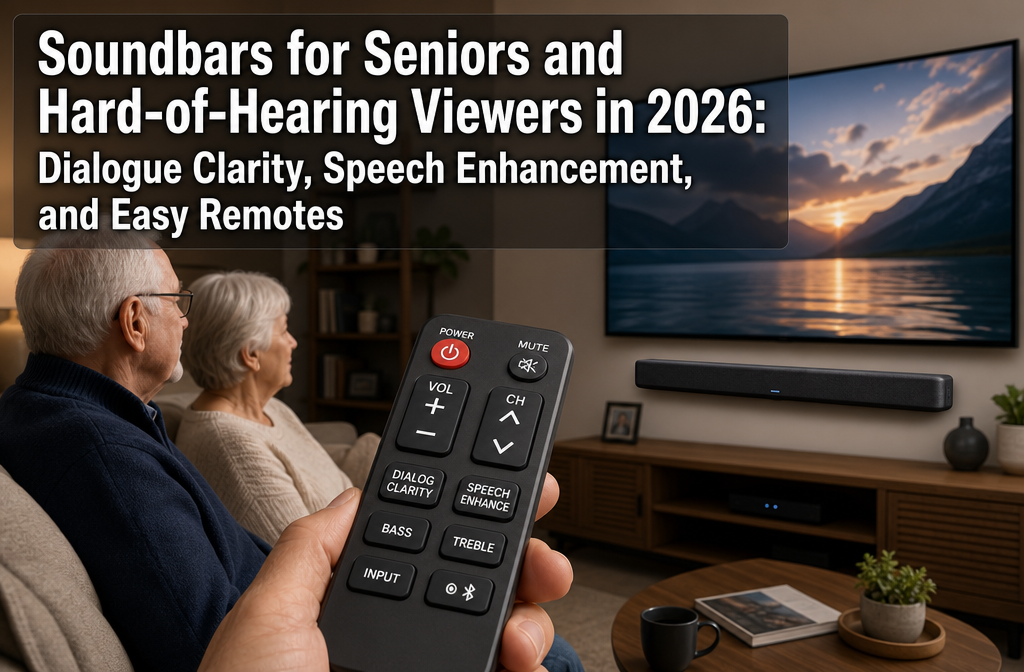
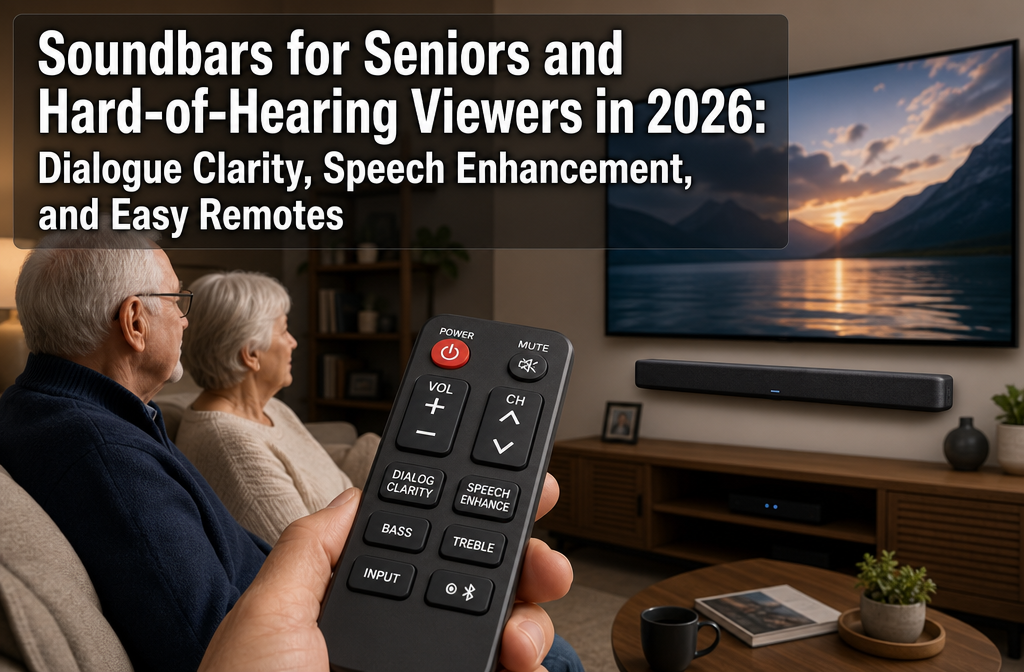
Soundbars for Seniors and Hard-of-Hearing
Nearly 48 million Americans experience some degree of hearing loss, with the vast majority over age 65 struggling most with one specific audio challenge: understanding dialogue on television.
While many assume the solution is simply turning up the volume, that approach often amplifies background noise and explosions without making speech any clearer.
In 2026, a new generation of soundbars specifically addresses this frustration through dedicated dialogue enhancement technology, simplified controls, and accessibility features designed for older viewers.
Soundbars for Seniors and Hard of Hearing, represent a specialized category that prioritizes speech intelligibility over cinematic bass or surround effects.
These systems use hearing aid style processing, dedicated center channels, and intuitive remote designs to make TV watching less frustrating and more enjoyable for millions of viewers.
Key Takeaways
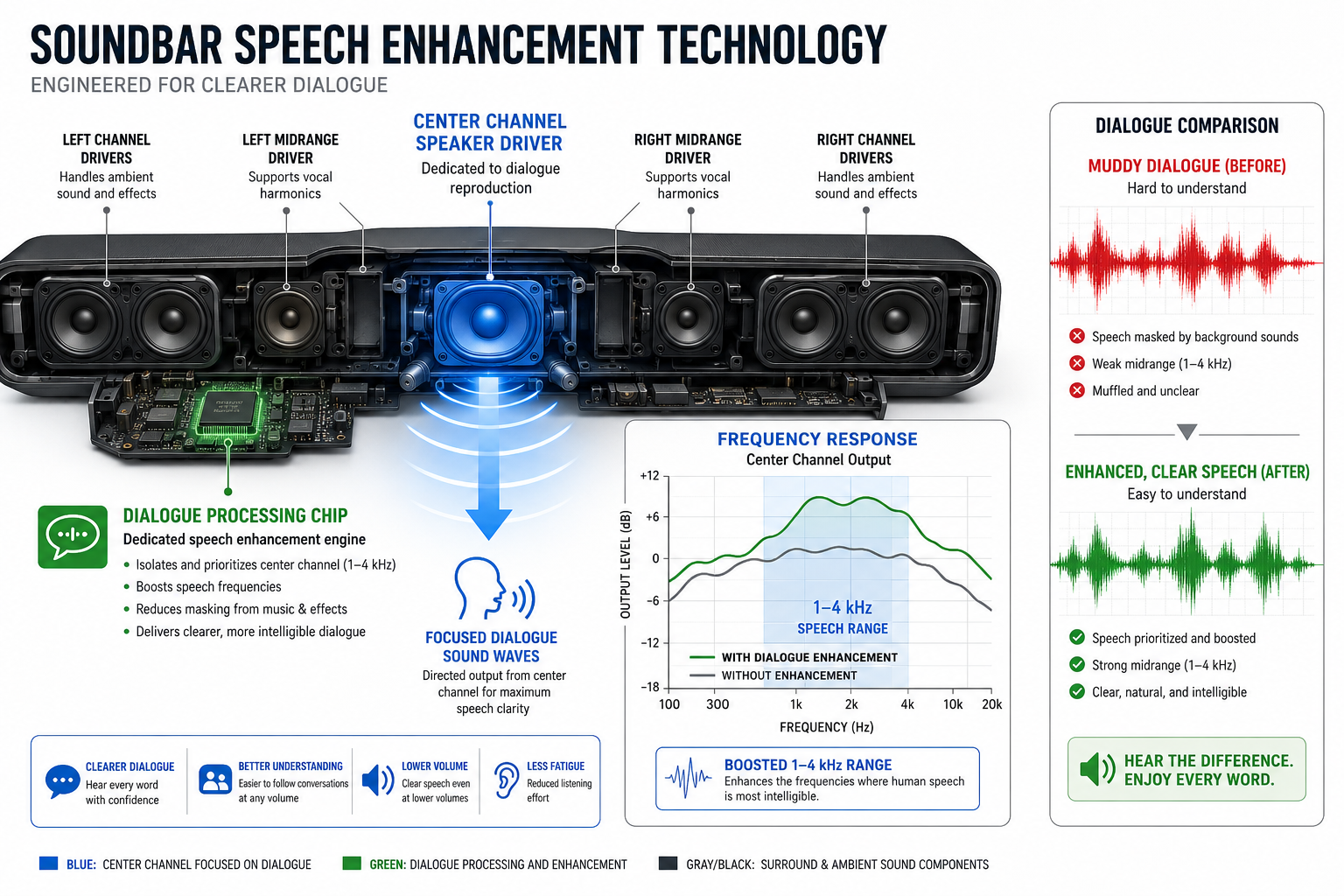
- Dialogue enhancement modes boost the 1-4 kHz frequency range where consonants and speech clarity live, making voices easier to understand without raising overall volume
- Dedicated center channels and specialized voice-processing algorithms (like ZVOX’s AccuVoice) lift speech out of background sound using technology adapted from hearing aids
- Simplified remotes with large buttons and one-touch voice modes eliminate complex menu navigation that frustrates many older users
- HDMI-ARC connectivity allows soundbars to work with existing TV remotes, reducing the need to juggle multiple controllers
- Price and features vary widely: specialized senior-focused brands like ZVOX start around $200-300, while mainstream options with dialogue modes range from $150-800+
Why Standard Soundbars Fall Short for Seniors and Hard-of-Hearing Viewers
Most soundbars marketed as “cinematic” or “home theater” systems prioritize bass response and surround effects over midrange clarity, the exact opposite of what older viewers need.
Users on audio forums consistently warn that many popular soundbars designed for action movies actually make dialogue harder to hear by emphasizing low-frequency rumble and spatial effects that muddy speech.
The Age-Related Hearing Challenge
Age-related hearing loss (presbycusis) typically affects high frequencies first, precisely the range where consonants like “s,” “t,” “f,” and “th” live.
This means older viewers often hear that someone is speaking but struggle to distinguish individual words. Simply increasing volume doesn’t solve this problem; it just makes everything louder, including the background music and sound effects that mask speech.
What makes dialogue hard to hear:
- 📺 Frequency loss: High-frequency hearing decline affects consonant recognition
- 🎬 Dynamic range: Modern TV shows have wide volume differences between whispers and explosions
- 🔊 Poor TV speakers: Thin, downward-firing speakers lack midrange clarity
- 🎵 Background mixing: Soundtracks and effects often overpower dialogue in modern productions
The solution isn’t just amplification, it’s targeted frequency enhancement and dynamic range compression that brings quiet speech up and loud effects down.
Essential Features in Soundbars for Seniors and Hard-of-Hearing Viewers in 2026
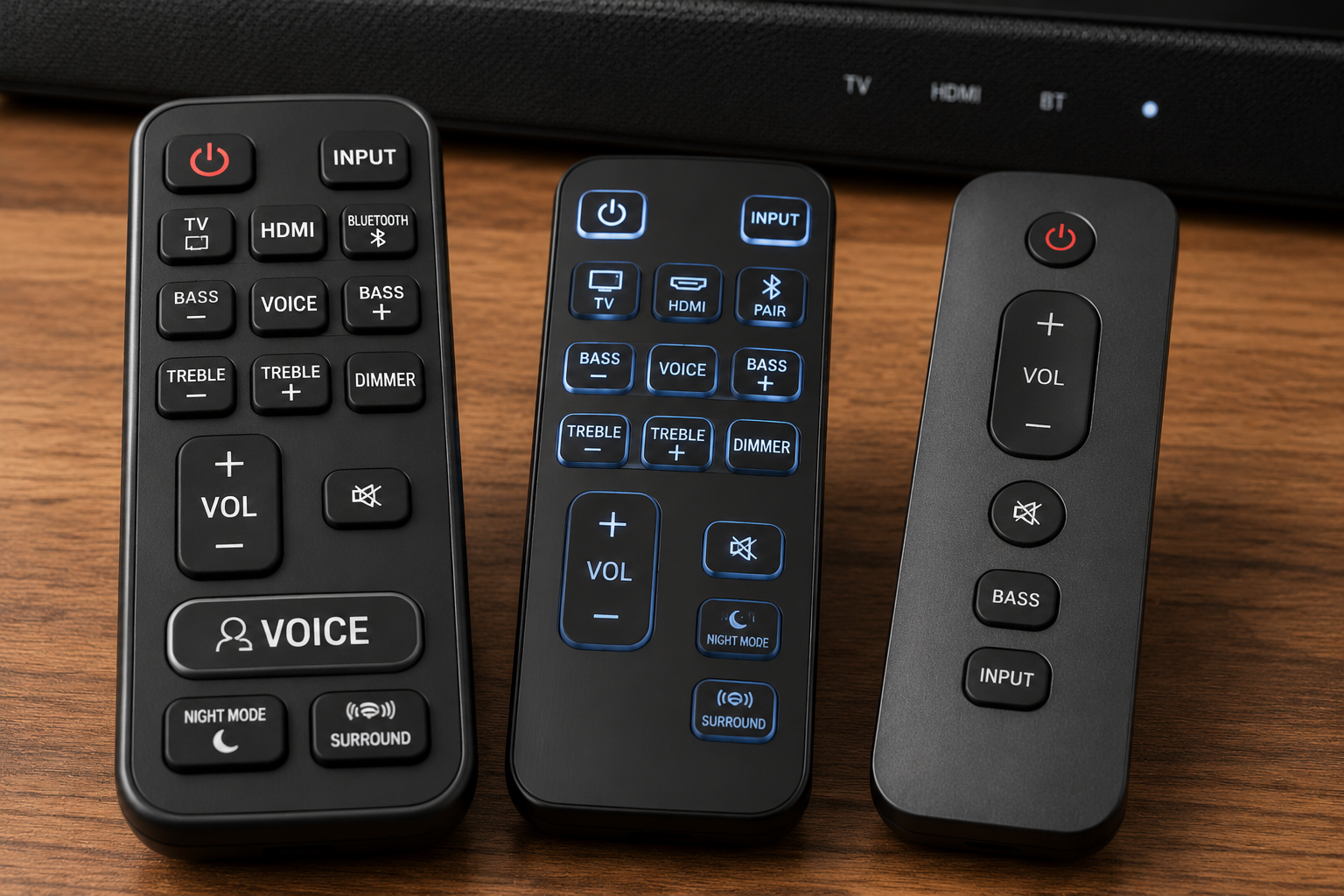
When evaluating Soundbars for Seniors and Hard of Hearing in 2026, Speech Enhancement, and Easy Remotes, several technical features consistently separate effective models from disappointing ones.
1. Dedicated Dialogue Enhancement Technology
The most crucial feature is a dedicated speech mode that specifically boosts the frequency range where human voices sit (roughly 1-4 kHz).
Independent testing by RTINGS confirms that soundbars with this technology score significantly higher for dialogue clarity than models that simply offer “treble boost”.
Leading technologies include:
- ZVOX AccuVoice/SuperVoice: Proprietary algorithms with up to six adjustable levels that “lift voices out of background sound” using hearing-aid-style processing
- Center channel emphasis: Physical center speakers or DSP processing that isolates and amplifies the center audio channel where dialogue typically lives
- Dynamic range compression: Reduces the volume gap between quiet dialogue and loud effects, preventing the need to constantly adjust volume
2. Simple, Accessible Remote Controls
Complex remotes with tiny buttons and unclear labels create unnecessary frustration. The best soundbars for seniors feature troubleshooting-free remote designs with:
✅ Large, tactile buttons with high-contrast labeling
✅ One-touch voice enhancement that doesn’t require menu navigation
✅ Backlit or clearly visible controls for low-light viewing
✅ Minimal button count focusing on essential functions (volume, voice mode, power)
ZVOX specifically markets soundbars with “senior-friendly” remotes featuring oversized buttons and simple layouts, while many mainstream brands still ship remotes with 20+ small, identical-looking buttons.
3. HDMI-ARC for Single-Remote Operation
HDMI-ARC (Audio Return Channel) connectivity allows the soundbar to be controlled by your existing TV remote, eliminating the need to manage multiple controllers. This feature has become standard on most 2026 models but remains crucial for reducing setup complexity.
For detailed setup guidance, see our step-by-step guide to connecting soundbars to TVs.
4. Adjustable Treble and Voice Levels
Since hearing loss varies by individual, the ability to customize high-frequency response matters enormously. Look for soundbars offering:
- Multiple voice enhancement levels (not just on/off)
- Separate treble adjustment independent of bass
- Preset modes specifically labeled “Dialogue,” “News,” or “Voice”
Community reports from hard-of-hearing users emphasize that adjustability makes the difference between “somewhat better” and “life-changing”.
Top Soundbar Features for Dialogue Clarity in 2026
Comparison Table: Key Features for Senior-Friendly Soundbars
Feature Why It Matters What to Look For:
Dialogue Enhancement. Boosts speech frequencies (1-4 kHz) Dedicated mode with multiple levels
Center ChannelI. Isolates and amplifies dialogue track Physical center speaker or virtual processing
Remote Design. Reduces frustration and errors. Large buttons, high contrast, backlit
HDMI-ARC. Single-remote operationAutomatic TV remote integration
Dynamic Compression. Evens out volume fluctuations Automatic leveling or “Night Mode”
Bluetooth Audio. Connects to hearing aids/headphones Bluetooth transmit capability
Understanding Center Channel Technology
A dedicated center channel speaker or processing makes an enormous difference for dialogue clarity. In traditional home theater setups, the center channel carries 60-70% of movie dialogue. Soundbars achieve this either through:
- Physical center driver: A separate speaker element aimed directly at listeners
- Virtual center processing: DSP algorithms that emphasize center-channel audio
RTINGS testing consistently shows that soundbars with distinct center channels outperform single-driver models for speech intelligibility.
When researching models, check whether the soundbar explicitly mentions center channel design, many budget models use only left/right drivers, which can make dialogue sound diffuse and harder to localize.
For broader soundbar selection guidance, explore our complete guide to choosing the right soundbar.
Recommended Soundbar Categories for Different Needs and Budgets
Budget-Conscious: $150-$300
For seniors on fixed incomes, several options deliver strong dialogue performance without premium pricing:
- ZVOX AV157: Specifically designed for older viewers with AccuVoice technology offering six levels of voice boost, large-button remote, and simple optical/HDMI connectivity. Amazon reviews from seniors consistently praise its speech clarity.
- Vizio M Series: RTINGS’ top pick for dialogue includes a dedicated center channel and graphic EQ, though setup may require assistance
These entry-level options prioritize voice clarity over surround effects or deep bass, exactly the right trade-off for dialogue-focused viewing.
Mid-Range: $300-$600
This category offers the best balance of dialogue technology and ease of use:
- Models with automatic room correction that reduces echo and improves clarity
- App-free operation with all controls accessible via physical remote
- Stronger center channels and more sophisticated dialogue processing
Many mainstream brands (Sonos, Bose, Vizio) now include dedicated speech enhancement modes in this price range, making them viable alternatives to specialized senior-focused brands.
Premium: $600+
High-end soundbars add features like:
- Advanced room calibration (automatically adjusts for acoustics)
- Multiple dialogue presets for different content types
- Superior build quality and warranty support
- Integration with smart home systems
However, premium models often include complexity (apps, numerous settings, surround speakers) that may overwhelm some older users. The extra cost makes sense primarily for tech-comfortable seniors or when family members can handle initial setup.
For dialogue-specific recommendations across all price points, see our dedicated best soundbar for dialogue guide.
Setup and Optimization Tips for Maximum Dialogue Clarity
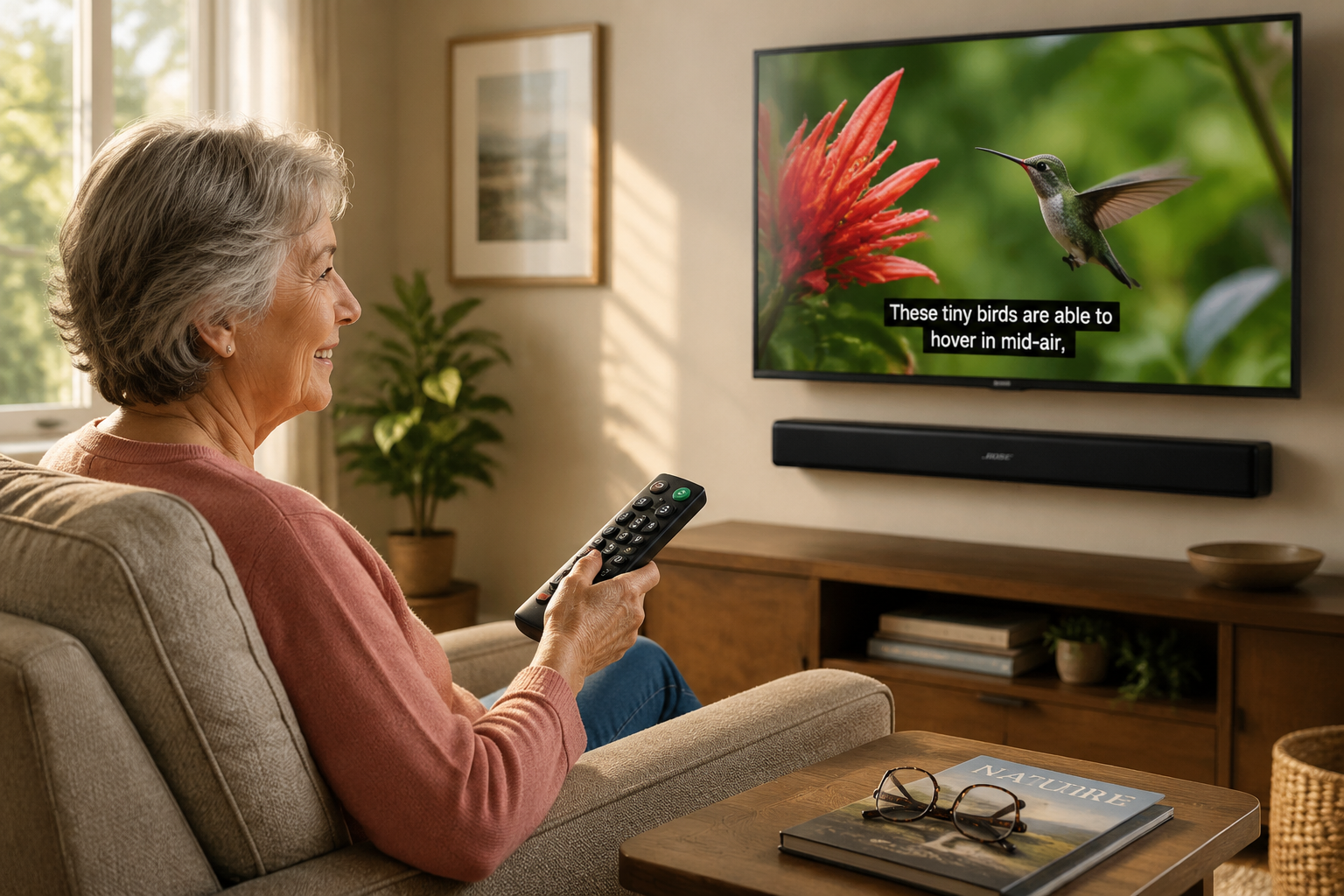
Even the best soundbar requires proper setup to deliver optimal speech clarity. Follow these steps:
Physical Placement
Position matters: Place the soundbar directly below or above the TV screen, centered and unobstructed. Avoid:
- Placing inside TV cabinets (muffles sound)
- Positioning off-center (reduces dialogue localization)
- Blocking the soundbar with objects
For wall-mounted TVs, our soundbar wall mounting guide provides detailed installation instructions.
Connection Method
Use HDMI-ARC whenever possible for the simplest setup and automatic volume control through your TV remote. If your TV lacks HDMI-ARC:
- Optical cable (second-best option)
- Auxiliary cable (adequate but may require manual volume adjustment)
Detailed connection instructions are available in our soundbar-to-TV connection guide.
Initial Settings Optimization
After connecting:
- ✅ Enable dialogue/voice mode immediately
- ✅ Turn off or minimize surround effects (these can muddy speech)
- ✅ Reduce bass if it overwhelms voices
- ✅ Adjust treble to personal preference
- ✅ Test with familiar content to fine-tune settings
Many users report that factory settings prioritize “cinematic” sound over clarity, don’t hesitate to significantly boost voice enhancement beyond the default level.
Ongoing Adjustments
Hearing needs change over time. Revisit settings every few months and adjust voice enhancement levels as needed. Most soundbars remember settings even after power cycling, but verify this after any power outage.
Additional Accessibility Features to Consider
Beyond core dialogue technology, several supplementary features enhance usability for seniors:
Bluetooth Connectivity for Personal Audio
Bluetooth transmission allows connecting wireless headphones or hearing aids directly to the soundbar, enabling personal listening without disturbing others.
This feature proves especially valuable for:
- Households with different hearing abilities
- Late-night viewing
- Viewers with significant hearing loss who need higher volumes
Automatic Volume Leveling
Commercial volume leveling (sometimes called “Night Mode” or “Auto Volume”) prevents sudden volume spikes during advertisements, a common complaint among older viewers. This feature maintains consistent loudness across channels and content.
Visual Indicators
LED displays showing current volume level and active mode help users confirm settings without relying solely on audio feedback. Look for:
- Large, bright displays visible from viewing distance
- Clear mode indicators (e.g., “Voice” or “Dialogue” lights up when active)
- Minimal blinking or distracting animations
Common Mistakes to Avoid When Shopping
❌ Prioritizing Bass Over Clarity
Many soundbar reviews emphasize “powerful bass” and “immersive surround sound” features that often work against dialogue clarity. For senior-focused use, speech intelligibility matters far more than room-shaking explosions.
❌ Overlooking Remote Design
Don’t underestimate the importance of a well-designed remote. A soundbar with excellent audio but a tiny, complex remote creates daily frustration. If possible, examine the remote before purchasing or check customer reviews specifically mentioning remote usability.
❌ Assuming “Louder Is Better”
Volume alone doesn’t solve speech comprehension problems caused by frequency-specific hearing loss. A soundbar with proper dialogue enhancement at moderate volume will outperform a basic soundbar at maximum volume.
❌ Buying Without Return Policy
Since hearing loss varies individually, what works perfectly for one person may disappoint another. Purchase from retailers offering hassle-free returns (Amazon, Best Buy, Costco) so you can test the soundbar with your specific hearing needs.
Real-World User Experiences and Testimonials
Community feedback from actual hard-of-hearing users provides valuable insight beyond professional reviews:
“I’m deaf in one ear and the ZVOX soundbar made a huge difference. I can finally understand dialogue without cranking the volume to levels that bother my spouse.” Reddit user, r/Soundbars
Multiple AVForums users emphasize that soundbars with strong center-channel emphasis and clearly labeled dialogue presets deliver noticeable improvements compared to TV speakers or bass-heavy soundbars. The consensus: dedicated dialogue technology matters more than brand name or price.
Seniors report particular appreciation for:
- One-button voice mode activation (no menu diving)
- Large remotes that don’t get lost in couch cushions
- Automatic TV remote integration via HDMI-ARC
- Consistent performance without constant adjustment
Conclusion: Finding the Right Soundbar for Your Hearing Needs
Soundbars for Seniors and Hard of Hearing Viewers, in 2026: Dialogue Clarity, Speech Enhancement, and Easy Remotes represent a specialized but rapidly growing market segment.
The key to satisfaction lies in prioritizing speech-focused features over traditional home theater specifications.
Action Steps for Choosing Your Soundbar
- Identify your primary need: If dialogue clarity is the main concern, focus exclusively on models with dedicated voice enhancement technology
- Evaluate the remote: Ensure buttons are large, clearly labeled, and the voice mode is easily accessible
- Verify HDMI-ARC compatibility with your TV for simplified operation
- Read user reviews from seniors and hard-of-hearing viewers specifically (not just general audio reviews)
- Purchase with a return policy so you can test with your specific hearing profile
- Consider specialized brands like ZVOX that explicitly target senior users
For broader soundbar comparisons and reviews, explore our 2026 best soundbar guide covering options across all categories and price points.
The right soundbar can transform TV watching from a frustrating experience into an enjoyable one.
By focusing on dialogue clarity, simple controls, and accessibility features, seniors and hard of hearing viewers can once again fully engage with their favorite shows and movies, without constantly asking “What did they say?” 🔊
References
[1] Best Soundbar For Hearing Impaired – https://lisnen.com/best-soundbar-for-hearing-impaired/
[2] Best Soundbars For Senior Citizens – https://zvox.com/collections/best-soundbars-for-senior-citizens
[3] Soundbar Can Help Hear Dialogue – https://www.nytimes.com/wirecutter/reviews/soundbar-can-help-hear-dialogue/
[4] B088x4ttvd – https://www.amazon.com/ZVOX-Dialogue-Clarifying-Patented-Technology/dp/B088X4TTVD
[5] Just Soundbar And Sub With Best Dialogue Clarity – https://www.reddit.com/r/Soundbars/comments/1lanzac/just_soundbar_and_sub_with_best_dialogue_clarity/
[6] Dialogue – https://www.rtings.com/soundbar/reviews/best/by-usage/dialogue
[8] Best Soundbars To Enhance Tv Dialogue – https://www.cnet.com/tech/home-entertainment/best-soundbars-to-enhance-tv-dialogue/
[10] I Am Hard Of Hearing Which Sound Bar – https://www.avforums.com/threads/i-am-hard-of-hearing-which-sound-bar.2429257/