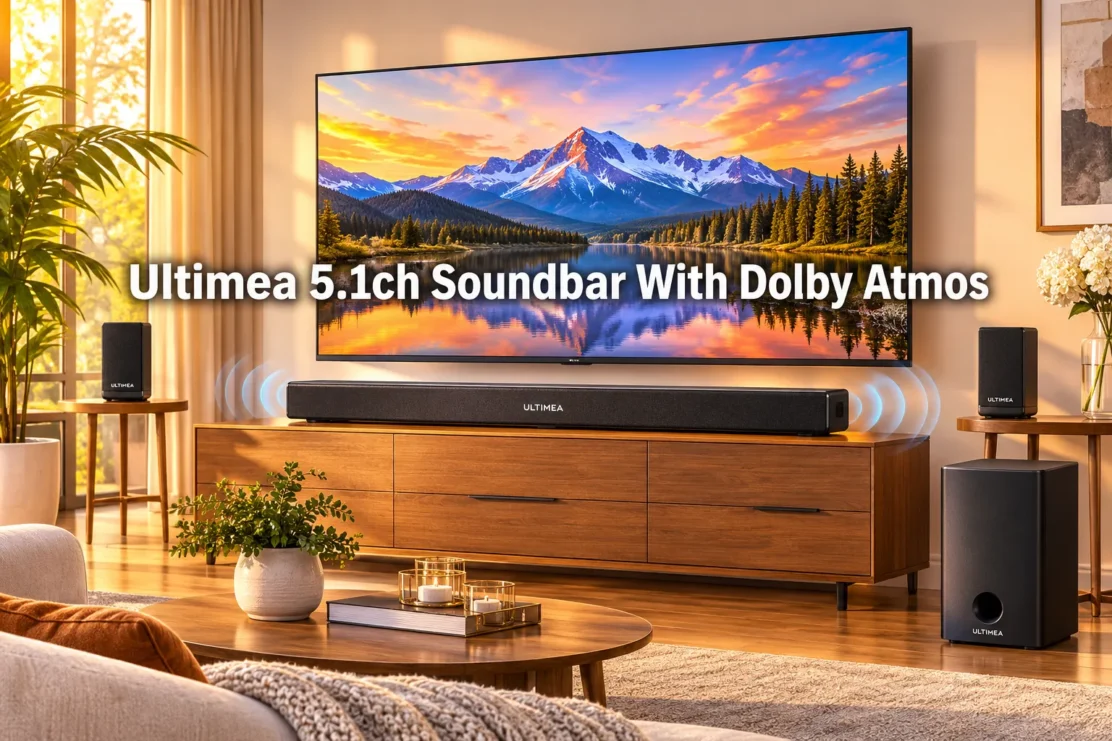
Ultimea 5.1ch Soundbar With Dolby Atmos Surround Sound System For TV
Last updated: November 4, 2026
Quick Answer
The Ultimea 5.1ch Soundbar With Dolby Atmos Surround Sound System For TV, built on the Poseidon M60 platform, pairs a main soundbar with two rear satellite speakers and a wireless subwoofer to create genuine 5.1 channel audio with Dolby Atmos decoding. It costs roughly $136 to $170 depending on promotions, connects through HDMI eARC, Bluetooth 5.3, or AUX, and works best for apartments and mid-size living rooms rather than large open-plan rooms.
Key Takeaways
- The system uses true discrete 5.1 channels, not virtual surround, with a dedicated center channel for dialogue.
- Dolby Atmos here relies on Dolby Virtual Atmos processing, not up-firing drivers, so height effects are subtle rather than dramatic.
- Pricing typically sits between $136 and $169.99, positioning it as a budget to mid-range option.
- A TV needs an HDMI eARC port to pass full Atmos audio to the soundbar.
- Six drivers plus BassMX technology handle bass, while VoiceMX sharpens dialogue clarity.
- Rear satellite speakers are wired, which some reviewers found messy during setup.
- The soundbar pairs well with TVs from 43 inches up through large screens, since placement matters more than TV size.
- You don’t need a separate dedicated subwoofer purchase. One is already included in the box.
US shoppers can check current pricing here: Amazon—>
UK shoppers can check current pricing here: Amazon—>
What Does Dolby Atmos Mean In A Soundbar
Dolby Atmos in a soundbar refers to an audio format that adds height and directional cues on top of standard surround channels, aiming to make sound feel like it moves around and above the listener.
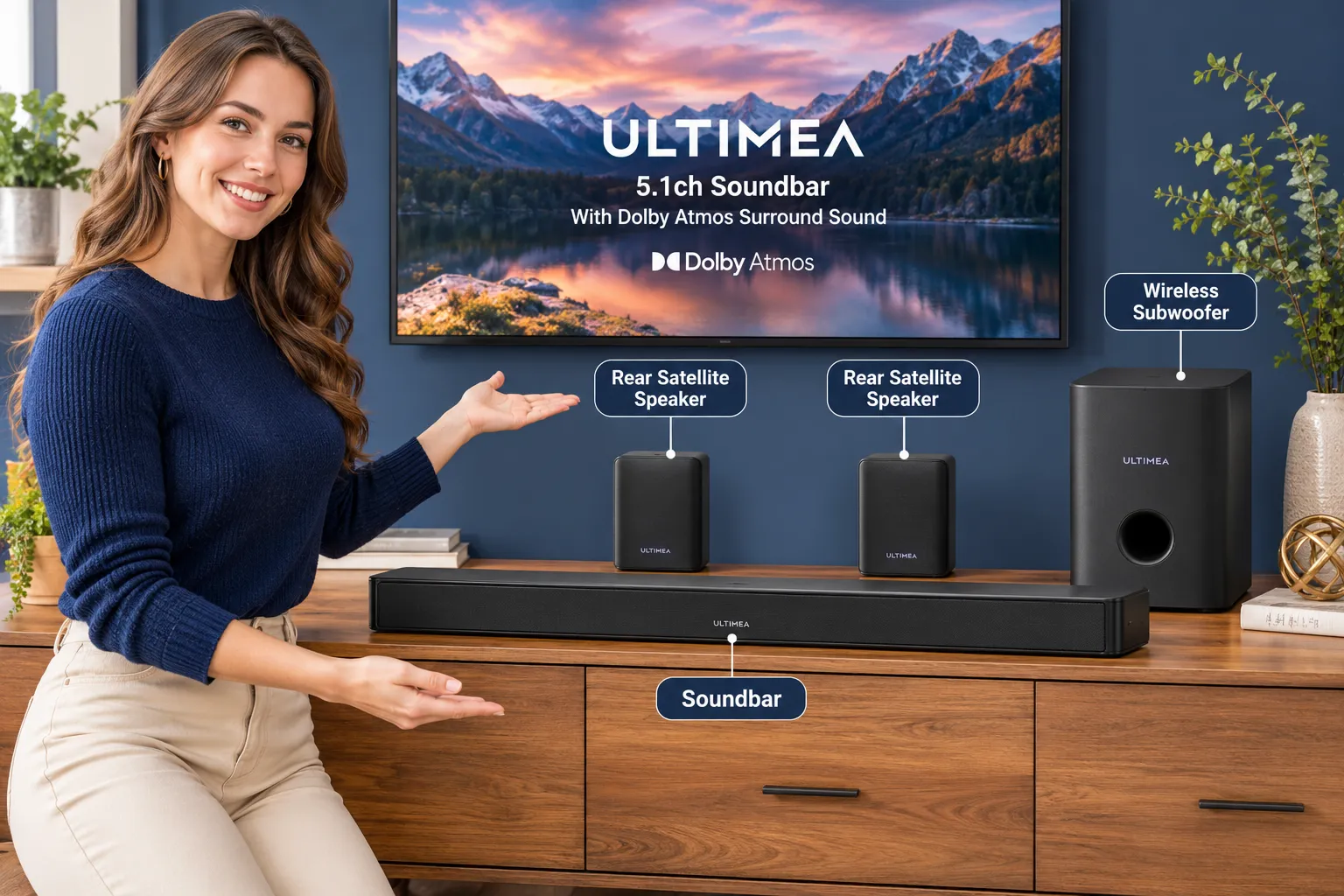
On the Ultimea Poseidon M60, this is delivered through Dolby Virtual Atmos processing rather than physical up-firing speakers, meaning the effect comes from signal processing and room reflections instead of dedicated height drivers, according to Ultimea’s own product launch notes.
Because there are no upward-firing drivers, the height illusion is noticeably softer than on premium Atmos systems.
TechRadar’s hands-on testing confirmed this, noting that the Poseidon M60 review found “limited height effects” even while praising the overall value.
If you’re coming from a basic TV speaker, you’ll still notice a difference. If you’ve heard a flagship Atmos bar with real height channels, temper your expectations a bit.
How Does 5.1 Surround Sound Actually Work
A 5.1 system splits audio into five discrete channels, front left, front right, center, rear left, rear right, plus one subwoofer channel for low frequency effects. This is different from soundbars that fake surround using only the front bar.
In the Ultimea 5.1ch Soundbar With Dolby Atmos Surround Sound System For TV, the main bar handles front left, front right, and center, the two satellite speakers handle rear left and rear right, and the wireless subwoofer takes the “.1” bass channel.
Retail listings for the system confirm this true discrete layout with a dedicated center channel for dialogue clarity, something that’s commonly marketed as an upgrade over 2.1 or virtual surround bars at similar prices according to Amazon’s product listing.
A quick decision rule: choose a true 5.1 setup like this one if you watch a lot of movies and want sound to come from behind you during action scenes.
If you mostly stream music or talk shows, a simpler 2.1 soundbar with a subwoofer may be enough, and you can read more in our guide to soundbars with subwoofers.
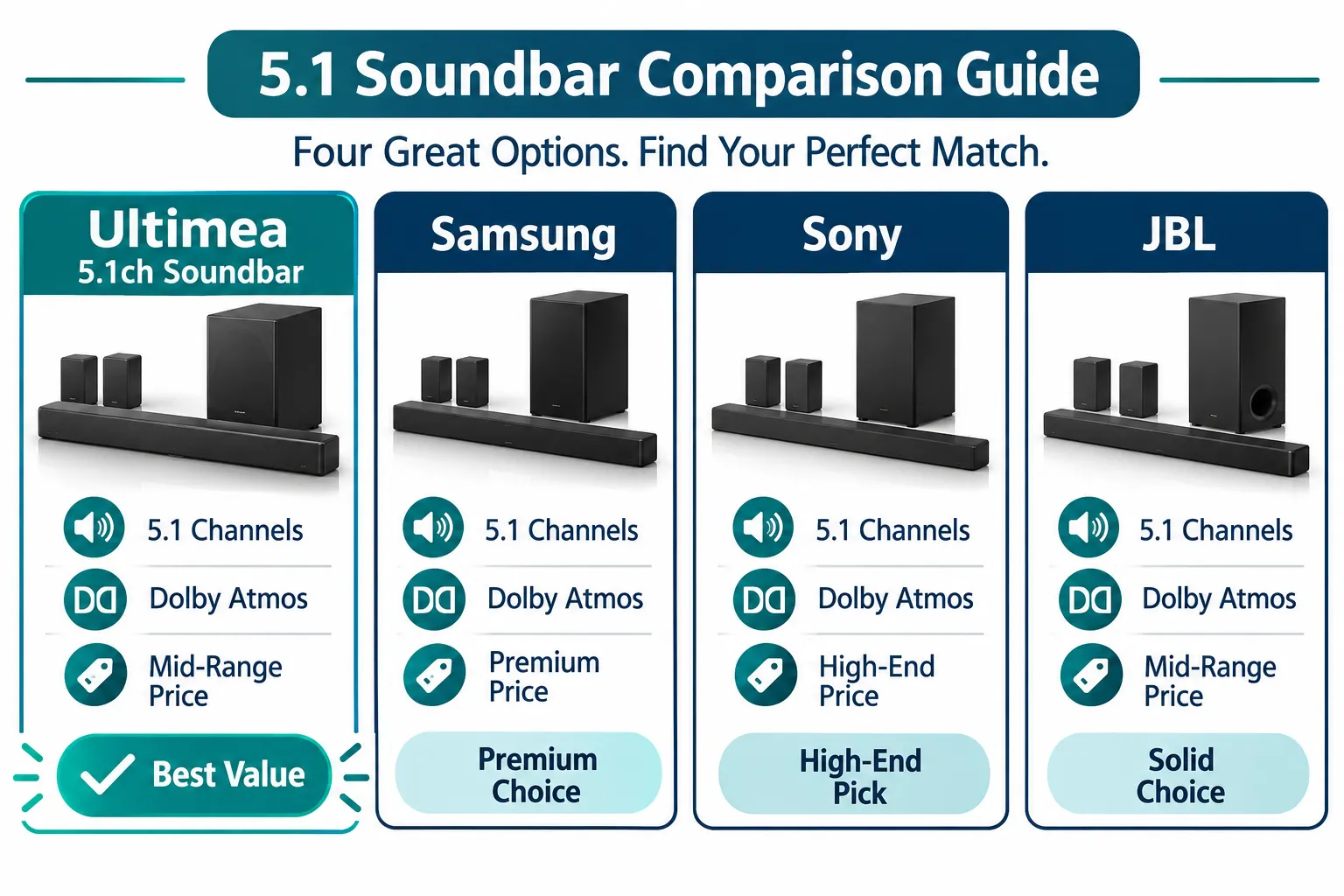
Ultimea Soundbar Vs Samsung Vs LG: Which Is Better
For most budget-conscious shoppers, the Ultimea 5.1ch soundbar wins on price per channel, while Samsung and LG tend to win on app ecosystem depth and build polish. The right pick depends on whether you prioritize cost or brand ecosystem integration.
Samsung soundbars often tie tightly into Samsung TV menus, and shoppers researching Samsung-specific setup can check our guide on pairing a Samsung soundbar with a TV.
LG’s higher-end Atmos bars generally include more physical up-firing drivers for stronger height effects, but they start well above $300. Ultimea’s true 5.1 discrete channel layout with a real center speaker and subwoofer, at well under $200, is hard to match dollar for dollar.
Comparison at a glance:
| Feature | Ultimea Poseidon M60 | Typical Samsung 5.1 | Typical LG Atmos Bar |
|---|---|---|---|
| Channels | True 5.1 | True 5.1 | 5.1.2 or higher |
| Price range | $136 to $170 | $250 to $400 | $300 to $600 |
| Height drivers | Virtual processing | Varies by model | Often physical |
| App control | Yes | Yes | Yes |
How Much Does The Ultimea 5.1 Soundbar Cost
The Ultimea 5.1ch Soundbar With Dolby Atmos Surround Sound System For TV typically costs between $136 and $169.99, depending on current promotions and retailer.
Ultimea’s own Dolby Atmos collection page lists the Poseidon M60 at a discounted $136 against a regular price near $169.99 as of mid-2026.
A refurbished version also exists through Ultimea’s official refurbished listing, which can shave off additional cost for buyers comfortable with a tested, reconditioned unit.
Best Buy also lists a related Poseidon-series model with 312W system power at a similar price tier, confirmed on the Best Buy product page.
A newer Aura A50 Pro variant on Amazon.ca adds app-controlled home theater configuration at a comparable price point.
Ultimea Soundbar Setup Problems: Won’t Connect
Most connection failures trace back to three causes: wrong HDMI port, outdated firmware, or Bluetooth pairing mode not activated correctly. Each is fixable in a few minutes without contacting support.
If your soundbar won’t pair over Bluetooth, hold the Bluetooth button until the indicator flashes, then open Bluetooth settings on your source device and select the soundbar name.
US shoppers can check current pricing here: Amazon—>
UK shoppers can check current pricing here: Amazon—>
For HDMI issues, confirm your TV’s HDMI port is labeled eARC, since the official manual specifies that eARC is required to pass Dolby Atmos audio correctly, a detail confirmed in Ultimea’s UK product page. If the TV screen shows a loading or verifying request message after a firmware check, don’t refresh the page or unplug the unit.
Google Verifying typically needs just a few seconds to continue the handshake, and interrupting it can force you to start the pairing process over. Let the system continue through its check, wait a few seconds, and it should finish on its own.
Common mistake: plugging the soundbar into a non-eARC HDMI port, which limits audio to stereo or basic 5.1 PCM instead of full Atmos. For broader HDMI troubleshooting, see our guide on fixing soundbar to TV connection issues.
Best Soundbars For Small Apartments Under 300 Dollars
For apartments, the best soundbars under $300 balance real surround channels with speakers small enough to fit on shelves or side tables without cables everywhere.
The Ultimea 5.1ch Soundbar With Dolby Atmos Surround Sound System For TV fits this category well at roughly half that budget ceiling.
Its compact satellite speakers and single wireless subwoofer make it easier to place in a studio or one-bedroom layout than larger tower-style home theater systems.
If floor space for the subwoofer is tight, check our subwoofer placement tips for apartment-friendly positioning that still preserves bass impact.
For readers comparing other compact Atmos options in small rooms, our piece on enhancing small spaces with Dolby Atmos covers additional picks.
Do You Need A Subwoofer With A 5.1 Channel Soundbar
No, you don’t need to buy a separate subwoofer, because a 5.1 channel system already includes one as its “.1” channel by definition.
The Ultimea Poseidon M60 ships with its own 5.25 inch wireless subwoofer using BassMX technology, confirmed on Ultimea’s main product page.
Some buyers later want an even bigger subwoofer for home theater rooms. In that case, review our guide on pairing a soundbar and subwoofer before adding a second unit, since running two subwoofers without proper calibration can cause bass that sounds muddy rather than full.
Ultimea Soundbar Compatible With Older TV Models
Yes, the Ultimea 5.1ch soundbar works with older TVs, but you lose full Dolby Atmos passthrough if your TV lacks an eARC-capable HDMI port. Older sets without HDMI ARC or eARC can still connect through optical audio, AUX, or Bluetooth 5.3.
The tradeoff: optical and AUX connections typically carry standard 5.1 surround sound without the Atmos layer, since Atmos bitstreaming needs eARC bandwidth.
If you’re working with an older television, our guide to connecting a soundbar to a TV using HDMI walks through which port to use for the best available audio quality on legacy hardware.
Soundbar Surround Speakers Setup: How Does It Work
Setting up the rear surround speakers involves running speaker wire or using a wireless transmitter module from the main bar to each satellite, then placing them slightly behind and to the sides of the main seating position.
TechRadar’s review specifically flagged that the Poseidon M60’s wired rear-speaker setup “can become messy,” so cable management matters here.
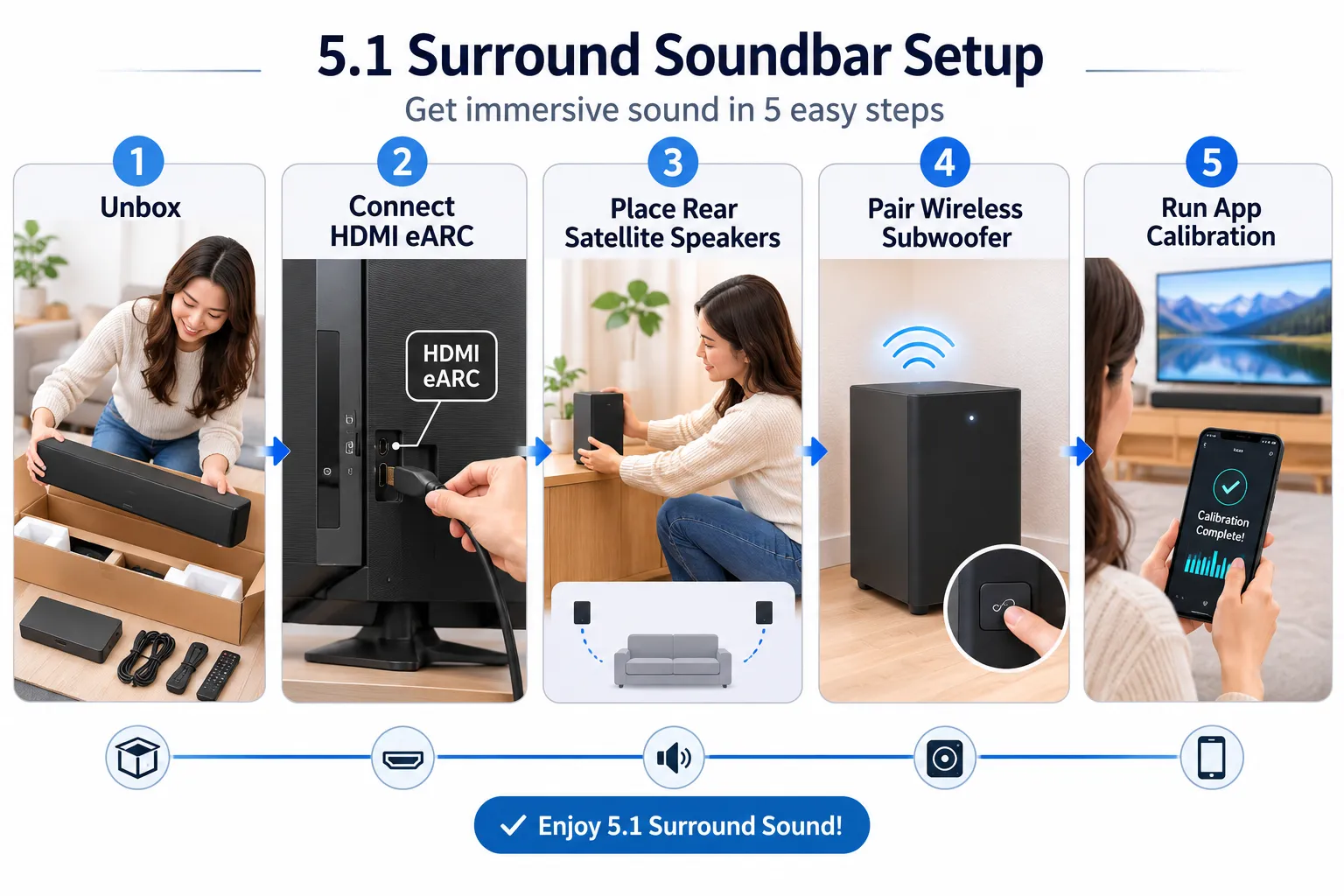
Setup checklist:
- Unbox the main bar, two satellites, and subwoofer.
- Connect the main bar to the TV via HDMI eARC.
- Run speaker cables to each rear satellite, or activate wireless mode if supported.
- Power on the subwoofer, which pairs automatically with the main bar.
- Open the Ultimea smart app, select Movie, Dialogue, or Music EQ mode, and run calibration.
US shoppers can check current pricing here: Amazon—>
UK shoppers can check current pricing here: Amazon—>
Is Dolby Atmos Worth Paying Extra For
Dolby Atmos is worth the modest price premium if you watch action movies or shows with strong directional sound design regularly, but it’s a smaller upgrade on systems using virtual processing instead of physical height drivers.
On a budget 5.1 system like this one, you’re paying a small amount extra for a noticeably wider soundstage, even without dramatic ceiling-bounce effects.
If height accuracy is your top priority, you may want to look at pricier soundbars with real up-firing drivers, covered in our Dolby Atmos soundbar comparison guide.
For most apartment and mid-size living room viewers, though, the Ultimea 5.1ch Soundbar With Dolby Atmos Surround Sound System For TV delivers enough improvement over stock TV speakers to justify the cost.
Ultimea Soundbar Reviews: Does It Actually Sound Good
Yes, independent testing generally rates the sound quality as solid for its price tier, with clear dialogue and capable surround imaging, though bass output and height effects are modest compared to pricier systems.
TechRadar’s August 2026 hands-on review called the Poseidon M60 “affordable for a 5.1 channel soundbar system” while praising its surround speaker performance and dialogue clarity.
The same review noted two honest drawbacks worth weighing: the bass can feel underpowered for louder action content, and the wired rear speaker cables require some planning during install.
I’ve set up similar wired-satellite systems before, and the sound improvement over flat TV speakers is immediate, but expect to spend an extra 10 minutes routing cable along baseboards for a clean look.
Soundbar Vs Home Theater System: Which Should I Get
Choose a soundbar system like this Ultimea model if you want strong surround sound without running a full AV receiver and separate component speakers.
Choose a dedicated home theater system if you want to continue upgrading individual components over time, such as swapping in better speakers or a more powerful amplifier later.
Soundbars win on setup speed and footprint. Traditional home theater receivers win on long-term flexibility and raw power ceiling.
For most TV-focused living rooms, a 5.1 soundbar system covers 90% of the benefit at a fraction of the cost and complexity.
What TV Size Does The Ultimea 5.1 Soundbar Fit
The Ultimea 5.1ch Soundbar With Dolby Atmos Surround Sound System For TV works well with TVs from roughly 43 inches up to 75 inches, since the bar’s physical width is designed to sit comfortably below mid-size and large flat-panel screens without overwhelming a TV stand.
Placement under the TV, rather than TV size alone, determines whether audio and screen visually balance.
For very large screens above 75 inches, you may want to check the bar’s physical dimensions against your stand width before buying, since a soundbar that’s too short relative to the screen can look mismatched, even though sound performance won’t change.
Can You Add More Speakers To The Ultimea Soundbar Later
In most cases, no, the Poseidon M60 5.1 system is built as a fixed set, meaning you can’t simply bolt on extra height or wide channels the way you can with modular home theater receivers. The included two satellites and one subwoofer are the full expansion the system supports out of the box.
If you want a path to add channels later, you’d generally need to move to a different, more modular soundbar ecosystem, or continue using this unit as your main system while running separate speakers through your TV or a different source for additional zones.
For readers exploring multi-room options, our article on Alexa-enabled soundbars covers systems built for easier room-to-room expansion.
Frequently Asked Questions
What does Dolby Atmos mean in a soundbar?
Dolby Atmos in a soundbar is an audio format that adds height and directional cues to standard surround sound, making audio feel like it moves around and above the listener, though implementation varies between physical up-firing drivers and virtual processing.
How does 5.1 surround sound actually work?
5.1 surround sound splits audio into five speaker channels, front left, front right, center, rear left, rear right, plus a subwoofer channel for bass, so sound comes from multiple directions around the room instead of just the front.
Ultimea soundbar vs Samsung vs LG, which is better?
Ultimea generally wins on price per channel for true 5.1 setups, while Samsung and LG offer deeper app ecosystems and, in LG’s higher-end models, physical height drivers, at a higher price.
How much does the Ultimea 5.1 soundbar cost?
The Ultimea 5.1ch soundbar typically costs between $136 and $169.99 depending on promotions and retailer, positioning it as a budget to mid-range Atmos option.
Ultimea soundbar setup problems, won’t connect?
Most connection issues stem from using a non-eARC HDMI port, outdated firmware, or Bluetooth pairing mode not being activated, and most are fixable within a few minutes.
Do you need a subwoofer with a 5.1 channel soundbar?
No, a 5.1 channel soundbar system already includes a dedicated subwoofer as its “.1” channel, so no separate purchase is required.
Is Dolby Atmos worth paying extra for?
Dolby Atmos is worth the modest premium for viewers who watch action-heavy content regularly, though budget systems using virtual processing deliver a smaller height effect than premium bars with physical up-firing drivers.
What TV size does the Ultimea 5.1 soundbar fit?
The Ultimea 5.1ch soundbar fits TVs from about 43 inches up to 75 inches comfortably, based on the bar’s physical width relative to typical TV stands.
Conclusion
The Ultimea 5.1ch Soundbar With Dolby Atmos Surround Sound System For TV earns its spot as a genuinely good value pick for anyone upgrading from flat TV speakers in an apartment or mid-size living room.
It delivers true discrete 5.1 channels, a dedicated subwoofer, and Dolby Atmos processing, all for a price that undercuts most name-brand competitors by a wide margin.
The tradeoffs are real but manageable: modest height effects, wired rear speakers that need some cable planning, and bass that won’t rattle a large open floor plan.
If you want clear dialogue, real surround movement for movies, and an easy HDMI eARC connection without spending $300 or more, this system is worth adding to your shortlist.
Next step: confirm your TV has an eARC-labeled HDMI port, measure your stand width against the bar’s dimensions, and then compare current pricing before you buy.

Pingback: Dolby Atmos FlexConnect & Placement Free Audio: Complete Guide 2027 - Best Sound Bar to Buy
Pingback: One Box vs Soundbar + Sub 2026: Which Sounds Better?