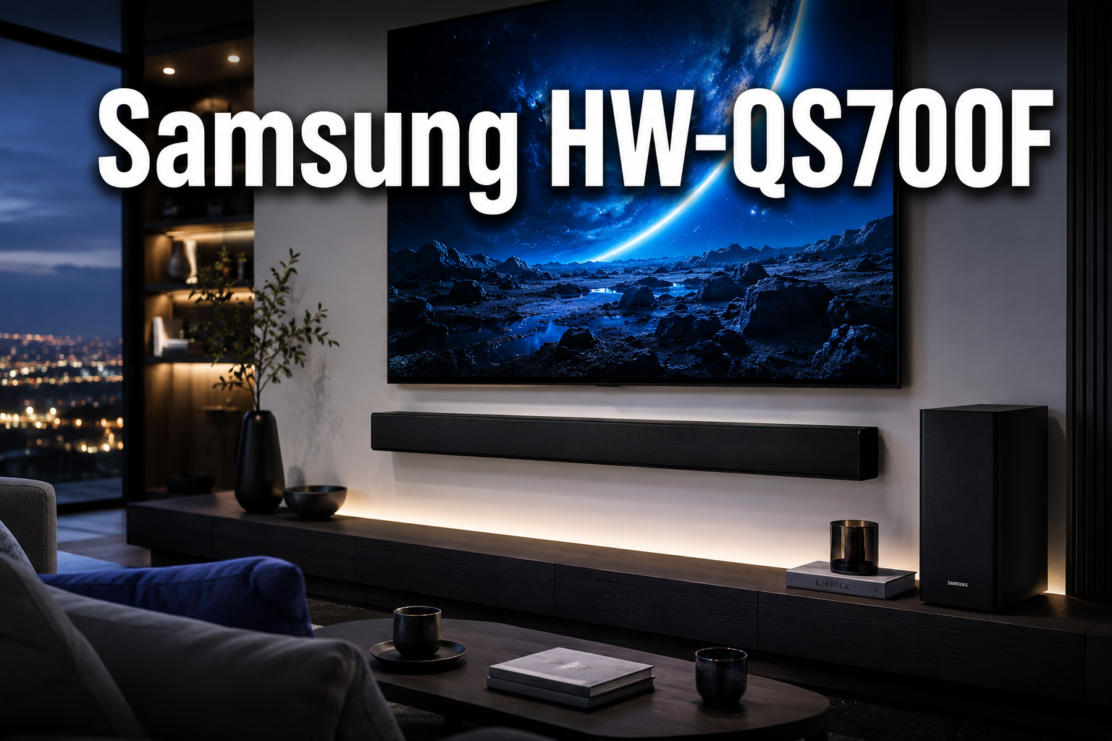
Samsung HW-QS700F
Last updated: June 11, 2026
Quick Answer: The Samsung HW-QS700F is a 3.1.2-channel Dolby Atmos soundbar with a wireless subwoofer, released in April 2025 and currently priced at $599.99.
It stands out for its unique convertible design, strong Samsung TV integration via Q-Symphony, and SpaceFit Sound Pro room calibration.
For buyers who own a compatible Samsung TV and want genuine Atmos height effects without a full surround system, it delivers exceptional value at this price point.
Key Takeaways
- The Samsung HW-QS700F is a 3.1.2-channel system with two up-firing drivers for real Dolby Atmos height effects, not simulated ones.
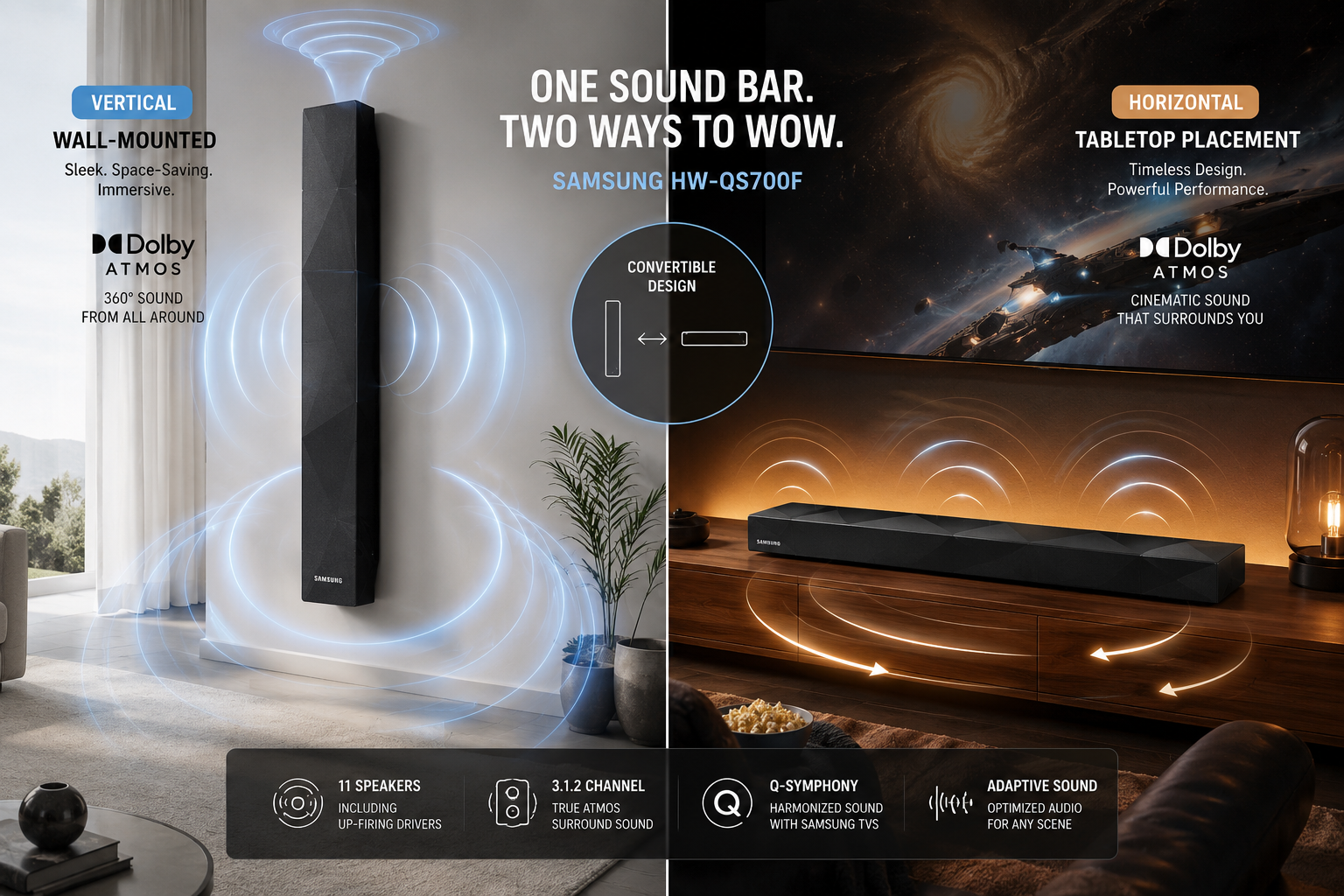
- Its “Convertible Fit” design lets you mount it vertically on a wall or lay it flat on a table, with built-in sensors that automatically reassign speaker roles.
- Q-Symphony technology merges the soundbar’s audio with compatible Samsung TV speakers for a noticeably wider, more layered soundstage.
- SpaceFit Sound Pro uses your Samsung TV’s built-in microphone to calibrate audio to your specific room, a feature competitors at this price rarely offer.
- Connectivity includes HDMI eARC, Bluetooth 5.3, Wi-Fi, AirPlay, optical input, Spotify Connect, Tidal Connect, and Roon Ready support.
- The 6.5-inch active subwoofer with an 8-inch passive radiator delivers deep, controlled bass without a separate wired connection.
- Rated 4.7 out of 5 stars across 213 reviews on Samsung’s US website as of mid-2026.
- Best suited for medium to large rooms and Samsung TV owners, less ideal for non-Samsung setups or very small spaces.
Check current pricing and availability for the Samsung HW-QS700F on Amazon
What Exactly Is the Samsung HW-QS700F Soundbar?
The Samsung HW-QS700F is a 3.1.2-channel soundbar system that includes a wireless subwoofer and supports Dolby Atmos and DTS:X audio formats. [1]
Released globally in April 2025, it sits in Samsung’s mid-to-upper Q-Series lineup, positioned above entry-level models but below flagship systems like the HW-Q990D.
The “3.1.2” channel designation breaks down as follows:
- 3 front channels: Left, center, and right drivers built into the soundbar
- 1 subwoofer channel: The wireless 6.5-inch active sub with an 8-inch passive radiator
- 2 height channels: Up-firing drivers that bounce sound off the ceiling for genuine Atmos overhead effects
What makes this model genuinely different from most soundbars at this price is the Convertible Fit design.
You can mount it vertically flush against a wall or lay it flat on a media console, and the internal sensor automatically detects the orientation and reassigns which drivers handle which audio channels. [2]
That kind of physical flexibility is rare, and it solves a real problem for rooms where a horizontal bar simply doesn’t work aesthetically.
The main soundbar measures 45.7 x 2.0 x 4.7 inches, and the subwoofer is a compact 9.8 x 9.9 x 9.8 inches, so neither unit is bulky. [1]
How Much Does the Samsung HW-QS700F Cost Right Now?
As of June 2026, the Samsung HW-QS700F is listed at $599.99 on Samsung’s official website, which reflects a $200 discount from its original launch price. [1] Best Buy also carries the unit, and pricing there has tracked closely with Samsung’s direct pricing. [4]
For context on value:
| Soundbar | Channels | Price (approx.) | Dolby Atmos |
|---|---|---|---|
| Samsung HW-QS700F | 3.1.2 | $599.99 | Yes (real up-firing) |
| Sonos Beam Gen 2 | 3.0 | $449.00 | Yes (virtual) |
| Sonos Arc | 5.0 | $899.00 | Yes (virtual) |
| Samsung HW-QS750F | 3.1.2 | $699.99 | Yes (real up-firing) |
At $599.99 with a wireless sub included, the HW-QS700F offers strong price-to-performance value. Most competing soundbars at this price either lack a subwoofer or rely on virtual Atmos processing rather than physical up-firing drivers. For a deeper look at how the step-up model compares, see this detailed Samsung HW-QS750F review.
Is the HW-QS700F Better Than the Sonos Beam or Sonos Arc?
The Samsung HW-QS700F beats the Sonos Beam Gen 2 in almost every measurable audio category, but the Sonos Arc is a closer and more nuanced comparison. The right choice depends on your TV brand and ecosystem priorities.
HW-QS700F vs. Sonos Beam Gen 2:
- The Beam Gen 2 uses virtual Atmos processing with no up-firing drivers. The HW-QS700F has physical height channels, which produce a more convincing overhead effect in rooms with 8-foot or higher ceilings.
- The HW-QS700F includes a wireless subwoofer. The Beam requires a separate Sonos Sub purchase (adding $699+), making the total cost significantly higher.
- Sonos wins on multi-room audio if you already own Sonos speakers throughout your home.
HW-QS700F vs. Sonos Arc:
- The Arc ($899) uses 11 drivers with virtual Atmos and is widely regarded as the best-sounding single-bar soundbar for non-Samsung homes.
- The HW-QS700F’s physical up-firing channels can match or exceed the Arc’s height performance in rooms with flat, reflective ceilings.
- Q-Symphony gives the HW-QS700F a decisive edge if you own a compatible Samsung TV, because it adds the TV’s own speakers to the soundstage.
- For non-Samsung TV owners, the Arc is arguably the stronger all-around choice.
If you want a broader look at top-performing Dolby Atmos options, our Dolby Atmos soundbar comparison guide covers the leading models side by side.
Will This Soundbar Work With My Older TV Model?
The Samsung HW-QS700F works with virtually any TV that has an HDMI ARC, HDMI eARC, or optical audio output. However, the depth of integration varies significantly depending on your TV brand and model.
Compatibility tiers:
- Compatible Samsung AI TVs (2022 or newer with Q-Symphony support): Full feature access, including SpaceFit Sound Pro room calibration using the TV’s built-in microphone, Q-Symphony synchronized playback, and AI-enhanced audio clarity. This is where the soundbar performs at its best.
- Older Samsung TVs (pre-2022): Basic HDMI ARC connection works fine. Q-Symphony may be available on some models, but SpaceFit Sound Pro and AI audio features likely won’t function.
- Non-Samsung TVs (LG, Sony, Vizio, TCL, etc.): The soundbar connects via HDMI eARC or optical and delivers standard Dolby Atmos and DTS:X decoding. You lose Q-Symphony and SpaceFit, but core audio performance remains strong.
- Older TVs with optical-only output: Works, but Dolby Atmos will not pass through optical connections. You’ll get stereo or Dolby Digital 5.1 at most.
For a step-by-step walkthrough on getting your Samsung soundbar connected properly, see our guide on connecting your Samsung soundbar to a TV via HDMI.
What Are Common Setup Problems With the Samsung HW-QS700F?
Check current pricing and availability for the Samsung HW-QS700F on Amazon
Most users get the HW-QS700F running without major issues, but a handful of setup problems come up repeatedly in owner feedback and forum discussions.
The most common issues and how to fix them:
- Subwoofer not pairing automatically: The wireless sub should pair on first power-up, but if it doesn’t, hold the ID SET button on the back of the sub for three seconds until the LED blinks, then press the same button on the soundbar. Our guide on connecting a Samsung soundbar to its subwoofer walks through this in detail.
- No sound through HDMI: Confirm your TV’s HDMI ARC or eARC port is enabled in the TV’s settings menu. Some TVs ship with this off by default.
- Dolby Atmos not activating: Your TV’s audio output format must be set to “Bitstream” or “Pass-through,” not “PCM.” PCM strips the Atmos metadata before it reaches the soundbar.
- Lip sync delay: If dialogue feels out of sync with video, use the audio sync adjustment in the soundbar’s settings. For a detailed fix, see our audio sync troubleshooting guide.
- SpaceFit Sound Pro not running: This feature requires a compatible Samsung AI TV. If your TV doesn’t support it, the calibration option simply won’t appear in the menu.
- Wall-mount orientation not detected: Give the soundbar 10 to 15 seconds after mounting before powering on. The orientation sensor needs a moment to register the position correctly.
If you’re still having trouble getting your TV and soundbar to communicate, our Samsung TV and soundbar connection troubleshooting guide covers the most common causes.
Who Should Buy the Samsung HW-QS700F?
The Samsung HW-QS700F is the right buy for Samsung TV owners who want a significant audio upgrade without running speaker wire through their walls.
It’s less compelling for households built around non-Samsung ecosystems or for buyers who prioritize music streaming quality over home theater performance.
Buy the HW-QS700F if you:
- Own a compatible Samsung QLED or Neo QLED TV from 2022 or later
- Want real Dolby Atmos height effects from physical up-firing drivers
- Need flexible installation (wall-mount or tabletop without audio compromise)
- Stream movies and TV shows as your primary use case
- Value automatic room calibration without hiring an installer
Consider alternatives if you:
- Own a Sony, LG, or other non-Samsung TV and want the deepest ecosystem integration
- Already have a Sonos multi-room setup and want seamless expansion
- Have a very small room where a 3.1.2 system may overpower the space
- Need rear surround speakers for true 360-degree audio (the HW-QS700F has no wireless rear channel option in its base configuration)
For a broader overview of which Samsung soundbar fits your specific situation, our Samsung soundbar buyer’s guide breaks down the full lineup.
What Kind of Rooms Is the Samsung HW-QS700F Best For?
The HW-QS700F performs best in medium to large rooms, roughly 200 to 500 square feet, where the subwoofer can develop proper bass pressure and the up-firing drivers have enough ceiling height to create convincing overhead audio.
Room placement recommendations:
- Ceiling height: Aim for at least 8 feet. At 7 feet or below, up-firing Atmos effects tend to sound smeared rather than distinct. At 9 to 10 feet, the height imaging becomes noticeably more precise.
- Ceiling material: Flat, hard ceilings (drywall, plaster) reflect sound cleanly. Vaulted, coffered, or acoustic tile ceilings scatter the reflections and reduce Atmos effectiveness.
- Subwoofer placement: The wireless sub works best in a corner or along a side wall, roughly one to three feet from the wall. Corner placement increases bass output; mid-room placement gives tighter, more accurate bass. See our subwoofer placement guide for specifics.
- Soundbar distance from TV: Keep the soundbar within 12 inches below the TV screen to avoid dialogue appearing to come from a different direction than the on-screen actors.
- Small rooms (under 150 sq ft): The system can feel overpowering at moderate volumes. SpaceFit Sound Pro helps compensate, but a smaller 2.1 system may be a better fit.
The SpaceFit Sound Pro calibration feature, available with compatible Samsung AI TVs, uses the TV’s built-in microphone to measure your room’s acoustic properties and adjust frequency response accordingly.
This is one of the most practical room-correction tools available at this price point, and it meaningfully improves performance in acoustically challenging spaces.
How Does the Sound Quality Compare to Other Samsung Soundbars?
The HW-QS700F sits comfortably above Samsung’s entry-level HW-C and HW-B series in audio performance, and it closes much of the gap with the flagship HW-Q990D at roughly half the price.
The main trade-off compared to the Q990D is the absence of wireless rear surround speakers. [5]
Sound quality breakdown by content type:
- Movies and streaming: The 3.1.2 configuration handles cinematic audio well. Dialogue clarity through the center channel is strong, and the up-firing drivers produce convincing overhead effects for rain, helicopters, and ambient environmental sounds. Action sequences benefit noticeably from the subwoofer’s passive radiator, which extends bass response lower than the driver size alone would suggest.
- Music: Stereo music playback is clean and detailed in the midrange, though the soundstage is naturally narrower than a dedicated stereo setup. Q-Symphony widens the perceived soundstage significantly when paired with a compatible Samsung TV.
- Sports: The center channel handles fast-moving commentary cleanly, and the soundbar’s Voice Enhance Mode further sharpens dialogue intelligibility during crowd noise.
- Gaming: Dolby Atmos for gaming adds directional audio cues that are genuinely useful in first-person and open-world titles. More on this below.
Compared to the Samsung HW-QS750F (the next step up), the QS700F gives up some refinement in the high-frequency range and slightly less output headroom at maximum volume, but the core performance difference is modest for the $100 price gap.
Do I Need Any Special Cables or Adapters?
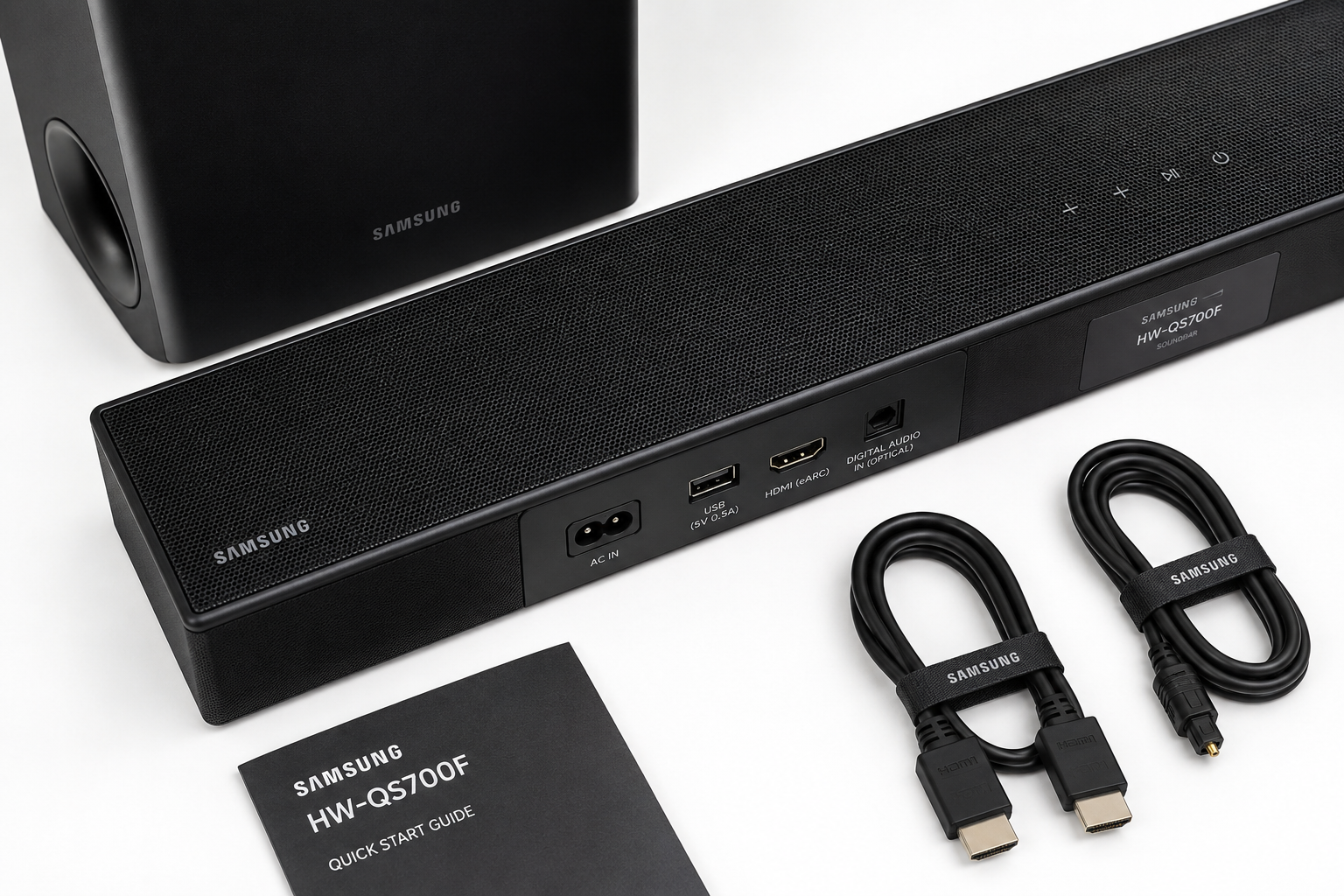
No special cables are required for basic setup. The HW-QS700F includes an HDMI cable in the box, and for most users, a single HDMI eARC connection between the soundbar and TV is all that’s needed.
Cable and connection summary:
- HDMI eARC (recommended): Carries full Dolby Atmos and DTS:X audio, plus allows TV remote volume control of the soundbar. Use the eARC-labeled port on your TV.
- HDMI ARC: Works for standard audio but may not pass full Atmos metadata on all TV models. Check your TV’s manual.
- Optical: Included as a fallback option. Supports up to Dolby Digital 5.1 but not Dolby Atmos. Use this only if HDMI is unavailable.
- Bluetooth 5.3: For direct streaming from a phone, tablet, or laptop without a TV involved.
- Wi-Fi and AirPlay: For higher-quality wireless streaming from Apple devices or compatible apps.
- 4K pass-through: The HDMI input supports 4K at 60Hz pass-through, so you can connect a streaming device or game console directly to the soundbar and pass video to the TV without quality loss.
Check current pricing and availability for the Samsung HW-QS700F on Amazon
One adapter situation worth noting: if your TV has only one HDMI port and it’s already in use, you’ll need a small HDMI switch. This is uncommon on modern TVs but does come up with older 4K models.
What Are the Biggest Complaints From Samsung HW-QS700F Owners?
Despite its strong 4.7-star average rating across 213 reviews, [4] a few consistent criticisms appear in owner feedback.
Most common complaints:
- No rear surround option: Unlike the HW-Q990D or even some mid-range Sony soundbars, the HW-QS700F does not support add-on wireless rear speakers. For buyers who want true 5.1.2 or 7.1.4 surround, this is a real limitation.
- App dependency for advanced settings: Some owners find that accessing EQ settings, sound modes, and firmware updates requires the SmartThings app, which adds a setup step that not everyone finds intuitive.
- Subwoofer connection drop: A small number of users report occasional wireless sub disconnections, particularly in homes with congested 2.4GHz Wi-Fi networks. Placing the sub within 15 feet of the soundbar and reducing Wi-Fi interference usually resolves this.
- Wall-mount bracket sold separately: The vertical wall-mount bracket is not included in the box, which surprises buyers who purchase specifically for the wall-mount capability.
- Atmos performance limited in low-ceiling rooms: As noted above, rooms with ceilings below 8 feet see reduced benefit from the up-firing drivers.
None of these complaints are deal-breakers for the right buyer, but they’re worth knowing before purchase.
Can the Samsung HW-QS700F Connect to Bluetooth Devices?
Yes, the Samsung HW-QS700F connects to Bluetooth devices using Bluetooth 5.3, which offers faster pairing and a more stable connection than older Bluetooth versions.
You can stream audio directly from a smartphone, tablet, or laptop without any cables or Wi-Fi network required.
Beyond Bluetooth, the soundbar also supports:
- Wi-Fi streaming for higher-bitrate audio than Bluetooth allows
- AirPlay for Apple device users who want lossless or high-resolution audio streaming
- Spotify Connect for direct Spotify playback without using your phone as a relay
- Tidal Connect for high-fidelity streaming from Tidal’s catalog
- Roon Ready certification for audiophile-grade music library management
The combination of Bluetooth 5.3, AirPlay, and Spotify Connect means the HW-QS700F handles virtually every wireless audio scenario a typical household encounters.
For a guide on getting your soundbar connected to your home network, see our Samsung soundbar Wi-Fi connection walkthrough.
Is the HW-QS700F Good for Gaming or Just Movies?
The Samsung HW-QS700F is genuinely good for gaming, not just movies, though it performs best with consoles that output Dolby Atmos audio natively.
The low-latency Game Pro mode reduces audio delay to minimize the gap between on-screen action and sound, which matters in competitive or fast-paced titles.
Gaming performance specifics:
- Dolby Atmos for gaming: Xbox Series X and Xbox Series S output Dolby Atmos natively over HDMI, giving the HW-QS700F full height and directional audio in supported titles. PS5 uses its own Tempest audio engine, which the soundbar decodes as standard PCM or Dolby Digital.
- PC gaming: Connect via HDMI or Bluetooth. For Atmos on PC, Windows Sonic or Dolby Access app support is required.
- Game Pro mode: Reduces processing delay and sharpens directional cues, making footsteps and environmental audio more spatially accurate.
- Subwoofer impact: Explosions, engine rumble, and low-frequency game audio feel noticeably more physical with the passive radiator subwoofer engaged.
For dedicated gaming audio comparisons, our wireless soundbars for gaming guide covers the top options across price ranges.
What Is Q-Symphony Technology?
Q-Symphony is Samsung’s proprietary audio synchronization technology that allows a compatible Samsung soundbar and Samsung TV to play audio simultaneously through both sets of speakers, rather than the TV muting its own speakers when the soundbar is active.
In practice, Q-Symphony treats the TV’s built-in speakers as additional audio channels that extend the soundstage upward and outward.
The result is a wider, more three-dimensional sound field than the soundbar alone can produce. The effect is most noticeable during music playback and in Dolby Atmos content where height channels are active.
Q-Symphony requirements:
- A Samsung soundbar with Q-Symphony support (the HW-QS700F qualifies)
- A compatible Samsung QLED or Neo QLED TV from 2020 or later
- HDMI ARC or eARC connection between the two devices
Non-Samsung TVs do not support Q-Symphony. If you’re considering the HW-QS700F specifically for this feature, confirm your TV model’s compatibility on Samsung’s website before purchasing.
How Does Dolby Atmos Work in a Soundbar?
Dolby Atmos adds a height dimension to audio by encoding sound objects with precise three-dimensional positioning data, rather than assigning audio to fixed speaker channels.
In a traditional 5.1 system, sounds are mapped to left, right, center, and surround channels. In Dolby Atmos, a raindrop or helicopter can be placed at a specific point in three-dimensional space above and around the listener.
A soundbar like the HW-QS700F, Dolby Atmos works through two methods:
- Physical up-firing drivers: The two up-firing channels in the HW-QS700F bounce sound off the ceiling, which the ear interprets as coming from above. This is a genuine spatial effect, not a simulation.
- Psychoacoustic processing: The soundbar also applies signal processing to front and center channels to enhance the perception of width and depth beyond the physical speaker positions.
The combination of real up-firing drivers and psychoacoustic processing is what separates the HW-QS700F from single-bar soundbars that claim Atmos support purely through software. For a broader look at how Atmos soundbars compare, our soundbars with Dolby Atmos guide{:target=”_blank”} is a useful reference.
Samsung HW-QS700F: Full Technical Specifications

| Specification | Detail |
|---|---|
| Channel Configuration | 3.1.2 |
| Total Output Power | Not officially published by Samsung |
| Supported Audio Formats | Dolby Atmos, DTS:X, Dolby Digital, DTS |
| Subwoofer Driver | 6.5-inch active + 8-inch passive radiator |
| Up-Firing Drivers | 2 channels |
| HDMI | 1 input (4K/60Hz pass-through), 1 output (eARC) |
| Optical Input | Yes |
| Bluetooth | 5.3 |
| Wi-Fi | Yes (2.4GHz and 5GHz) |
| AirPlay | Yes |
| Streaming Services | Spotify Connect, Tidal Connect, Roon Ready |
| Q-Symphony | Yes (compatible Samsung TVs) |
| SpaceFit Sound Pro | Yes (compatible Samsung AI TVs) |
| Night Mode | Yes |
| Voice Enhance Mode | Yes |
| Game Pro Mode | Yes |
| Soundbar Dimensions | 45.7 x 2.0 x 4.7 inches |
| Subwoofer Dimensions | 9.8 x 9.9 x 9.8 inches |
| Convertible Fit | Yes (horizontal tabletop or vertical wall-mount) |
| Release Date | April 2025 |
Pros and Cons of the Samsung HW-QS700F
Pros:
- Real up-firing Dolby Atmos drivers, not virtual processing
- Convertible Fit design with automatic orientation detection
- Q-Symphony integration with compatible Samsung TVs
- SpaceFit Sound Pro room calibration (with compatible TV)
- Wireless subwoofer with passive radiator for extended bass
- Comprehensive connectivity: HDMI eARC, Bluetooth 5.3, Wi-Fi, AirPlay
- Spotify Connect, Tidal Connect, and Roon Ready support
- 4K/60Hz HDMI pass-through for connected source devices
- Strong customer satisfaction (4.7/5 stars across 213 reviews)
Cons:
- No wireless rear surround speaker support
- Full feature set requires a compatible Samsung AI TV
- Wall-mount bracket not included in the box
- Total power output not officially disclosed
- SpaceFit Sound Pro unavailable on non-Samsung TVs
- Subwoofer can occasionally drop connection in congested Wi-Fi environments
Check current pricing and availability for the Samsung HW-QS700F on Amazon
Frequently Asked Questions
Does the Samsung HW-QS700F come with a subwoofer?
Yes. The HW-QS700F includes a wireless subwoofer with a 6.5-inch active driver and an 8-inch passive radiator. No additional purchase is required for bass performance.
Can I use the HW-QS700F without a Samsung TV?
Yes. It connects to any TV with HDMI ARC, HDMI eARC, or optical output. However, Q-Symphony and SpaceFit Sound Pro require a compatible Samsung TV to function.
What is the difference between the HW-QS700F and HW-QS750F?
Both are 3.1.2-channel systems with similar feature sets. The HW-QS750F is the step-up model with slightly higher output refinement and a higher price point of approximately $699.99.
Does the HW-QS700F support Apple AirPlay?
Yes. AirPlay is supported for wireless streaming from iPhones, iPads, and Macs.
Samsung HW-QS700F: FAQs
Can I add rear speakers to the HW-QS700F?
No. The HW-QS700F does not support Samsung’s wireless rear speaker add-ons (SWA series). If rear surround channels are important to you, consider the HW-Q990D instead.
Does the soundbar work with Alexa or Google Assistant?
The HW-QS700F does not have a built-in voice assistant, but it can be controlled via SmartThings and responds to voice commands through a compatible Samsung TV or external smart speaker.
How do I reset the HW-QS700F if something goes wrong?
Hold the power button on the soundbar for five seconds until “INIT” appears on the display. This restores factory settings. For a full walkthrough, see our Samsung soundbar reset guide.
Is the HW-QS700F good for an apartment?
It can work in an apartment, but the subwoofer’s output may transmit through floors and walls at higher volumes. Night Mode reduces bass and dynamic range for late-night listening, which helps in shared-wall living situations.
Does the HW-QS700F support lossless audio formats like Dolby TrueHD?
No. The HW-QS700F decodes Dolby Atmos from streaming services and Blu-ray discs via HDMI, but it does not decode lossless Dolby TrueHD or DTS-HD Master Audio natively.
What streaming services work with the HW-QS700F directly?
Spotify Connect, Tidal Connect, and Roon Ready are all supported for direct streaming without using a phone as a relay.
Conclusion
The Samsung HW-QS700F earns its place as one of the most well-rounded mid-range Dolby Atmos soundbars available in 2026.
Its combination of real up-firing height channels, a wireless subwoofer with passive radiator bass extension, and the Convertible Fit design addresses practical installation challenges that most competitors ignore entirely.
The Q-Symphony and SpaceFit Sound Pro features are genuinely useful rather than marketing checkboxes, provided you own a compatible Samsung TV.
The clearest limitation is the lack of rear surround speaker support, which keeps it from matching a true 5.1.2 or 7.1.4 setup in sheer spatial coverage.
For buyers who need rear channels, the Samsung HW-Q990D is the logical upgrade, though at a significantly higher price.
For everyone else, specifically Samsung TV owners in medium to large rooms who want a clean, cable-light Atmos setup with strong bass and flexible installation, the HW-QS700F at $599.99 is a compelling buy.
Actionable next steps:
- Confirm your TV model’s Q-Symphony and SpaceFit Sound Pro compatibility on Samsung’s website before ordering.
- Measure your room’s ceiling height. If it’s below 8 feet, manage expectations for the up-firing Atmos effect.
- Plan your subwoofer placement before the unit arrives. A corner or side-wall position within 15 feet of the soundbar works best.
- Check current pricing and availability for the Samsung HW-QS700F on Amazon to see if any current promotions apply.
References
[1] Q Series 3.1.2 Ch Soundbar Subwoofer HW-QS700F – https://www.samsung.com/us/home-audio/soundbar/q-series-3-1-2-ch-soundbar-subwoofer-sku-hw-qs700f-za/
[2] Samsung HW-QS700F Review – https://www.techradar.com/televisions/samsung-hw-qs700f-review
[3] Samsung HW-QS700F Specs – https://www.bhphotovideo.com/c/product/1884816-REG/samsung_hw_qs700f_za_hw_q800f_5_1_2_channel_dolby_atmos.html/specs
[4] Best Buy – Samsung HW-QS700F – https://www.bestbuy.com/product/samsung-hw-qs700f-3-1-2-ch-dolby-atmos-soundbar-and-subwoofer-2025-black/J3ZYG2FKZF/sku/10311319
[5] TechRadar – Samsung HW-Q990H Review 2026 – https://www.techradar.com/televisions/soundbars/i-tested-the-flagship-samsung-hw-q990h-dolby-atmos-soundbar-and-while-it-sticks-to-the-formula-of-its-predecessors-it-still-sets-the-bar-for-soundbars-in-2026